Transactions and Concurrency Problems That Break Production Systems
Introduction
Two users open the same seat booking page at the same time. Both see seat 14A is available. Both click book. Your system processes both. Now two people have the same seat.
This isn't a hypothetical. It's a real category of bug that happens in every system that handles concurrent users — which is every system in production. The root cause is always the same: transactions running at the same time interfering with each other in ways you didn't account for.
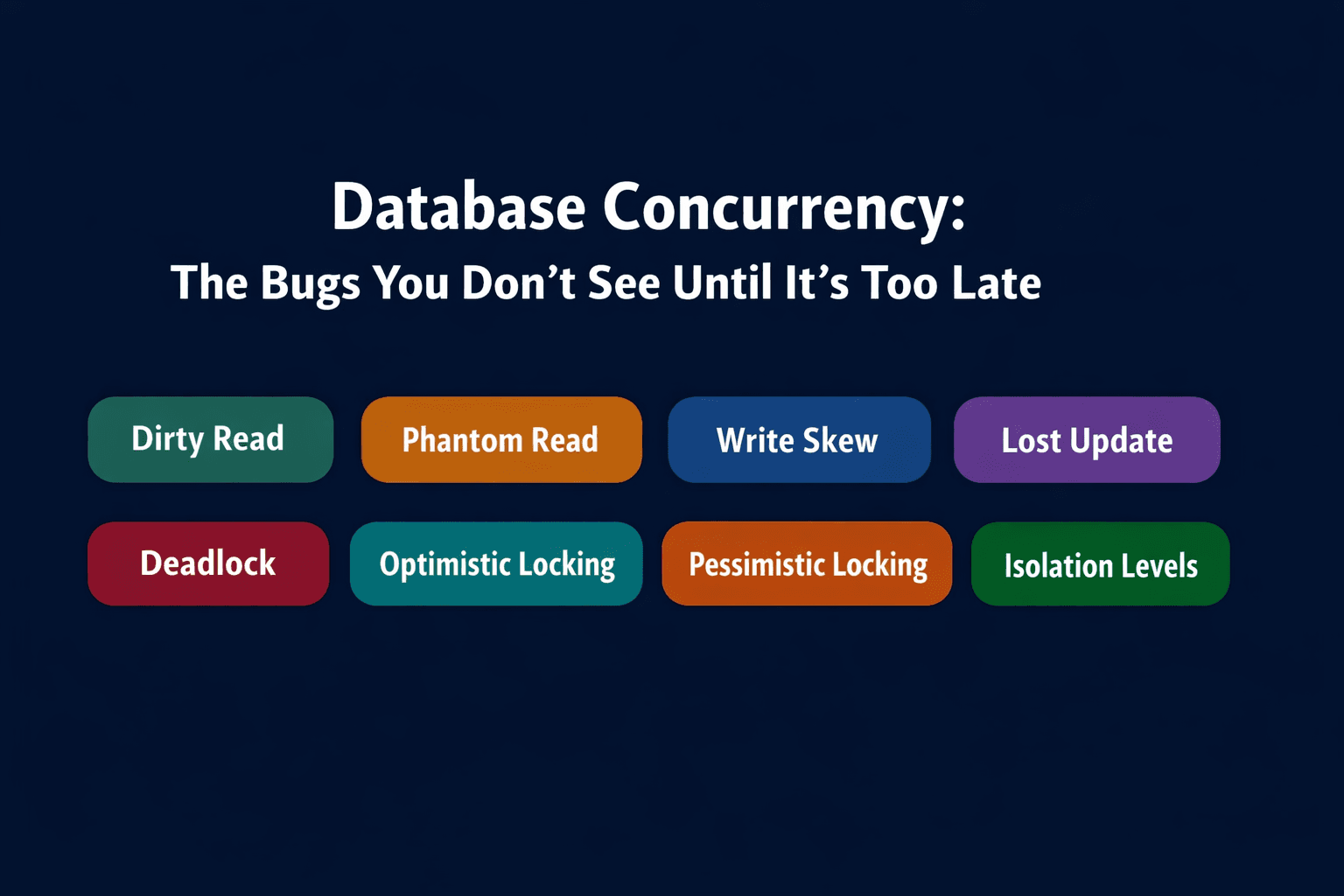
This post covers the concurrency problems that appear in real backend systems and the tools databases give you to prevent them:
- Dirty read — reading uncommitted data
- Non-repeatable read — the same row returns different values within a transaction
- Phantom read — new rows appear mid-transaction
- Read skew — reading a mix of old and new values
- Write skew — individually valid writes that collectively violate a constraint
- Lost update — one transaction's write silently overwrites another's
- Deadlock — two transactions waiting on each other forever
- Lock escalation — the database switching to coarser locks
- Optimistic locking — assume no conflict, verify before commit
- Pessimistic locking — lock first, operate second
- Isolation levels — the knobs that control which problems you're protected from
The Setup: Why Concurrency Is Hard
In a single-user system, every operation happens in sequence. There are no surprises. But in production, hundreds or thousands of transactions run simultaneously. Each transaction reads data, makes decisions, and writes results — and while it's doing that, other transactions are doing the same thing to the same data.
The problems in this post all come from that overlap. A transaction reads data that another transaction is about to change. Two transactions make decisions based on the same read, then both write. A transaction's write gets immediately overwritten by another.
Databases handle this through isolation — controlling how much one transaction can see what others are doing. The tradeoff is always the same: more isolation means fewer bugs, but also lower throughput. Understanding the spectrum is what lets you make the right call.
Section 1 — Reading Problems
🔹 Dirty Read
Simple Explanation
A dirty read happens when Transaction A reads data that Transaction B has modified but not yet committed. If B then rolls back, A has made decisions based on data that never officially existed.
Analogy
Your colleague tells you verbally that a client signed a contract. You go tell your manager and plan the next three months around it. Then your colleague says "actually, they didn't sign — the call fell through." You acted on unconfirmed information. That's a dirty read.
Mini Diagram
T1: UPDATE accounts SET balance = 5000 WHERE id = 1  ← not committed yet
T2: SELECT balance FROM accounts WHERE id = 1
    → sees 5000 (the dirty, uncommitted value)
T1: ROLLBACK  ← balance goes back to 1000
T2: already made a decision based on 5000 ❌
PostgreSQL behaviour
PostgreSQL doesn't allow dirty reads at any isolation level. Even at the lowest level (Read Uncommitted), PostgreSQL internally treats it as Read Committed — you can never read another transaction's uncommitted data in Postgres. This is by design and one of the reasons PostgreSQL is trusted for financial systems.
MongoDB behaviour
MongoDB's WiredTiger engine also prevents dirty reads by default. Reads return only committed data. With causal consistency enabled on sessions, reads are further guaranteed to reflect writes that causally precede them.
Where dirty reads matter
Some databases (MySQL at Read Uncommitted level) do allow dirty reads. If you're ever connecting to a database through a legacy system or third-party tool, check the isolation level. Dirty reads in financial or inventory systems can cause serious damage — payments processed against balances that were never real.
🔹 Non-Repeatable Read
Simple Explanation
A non-repeatable read happens when a transaction reads the same row twice and gets different values — because another transaction committed a change between the two reads.
Analogy
You check the price of a flight: £450. You go compare other options, come back, check again: £520. The data changed while you were in the middle of your decision. That's a non-repeatable read.
Mini Diagram
T1: SELECT price FROM flights WHERE id = 99  → £450
                                    ↓
T2: UPDATE flights SET price = 520 WHERE id = 99 → COMMIT
                                    ↓
T1: SELECT price FROM flights WHERE id = 99  → £520 ❌
    (same query, same transaction, different result)
PostgreSQL fix
Use REPEATABLE READ isolation level. PostgreSQL takes a snapshot at the start of the transaction. Every read within that transaction sees the same data — changes committed by other transactions after the snapshot was taken are invisible.
BEGIN TRANSACTION ISOLATION LEVEL REPEATABLE READ;
SELECT price FROM flights WHERE id = 99;  -- £450
-- T2 commits a price change to £520
SELECT price FROM flights WHERE id = 99;  -- still £450 ✓
COMMIT;
🔹 Phantom Read
Simple Explanation
A phantom read happens when a transaction re-runs a query that returns a set of rows, and finds different rows the second time — because another transaction inserted or deleted rows that match the filter between the two reads.
The data in existing rows hasn't changed. New rows appeared (or disappeared) — like phantoms.
Analogy
You're counting seats in a theatre to book for a group. You count 8 available. You step away to phone your group. You come back and count again — there are 6. Someone booked 2 seats while you were on the phone. The individual seat data didn't change, but the set of available seats did.
Mini Diagram
T1: SELECT * FROM seats WHERE available = true  → 8 rows
                                    ↓
T2: INSERT INTO seats (id, available) VALUES (9, true) → COMMIT
                                    ↓
T1: SELECT * FROM seats WHERE available = true  → 9 rows ❌
    (new row appeared mid-transaction)
PostgreSQL behaviour
At REPEATABLE READ, PostgreSQL prevents phantom reads too — which is stricter than the SQL standard requires. The snapshot taken at transaction start includes the set of rows, so new inserts by other transactions don't appear in re-executed queries.
At READ COMMITTED (the default), phantom reads can occur.
Difference between non-repeatable and phantom read
Non-repeatable read: an existing row's values change between two reads. Phantom read: the set of rows matching a query changes between two reads.
Same pattern, different scope. Both are solved by REPEATABLE READ in PostgreSQL.
🔹 Read Skew
Simple Explanation
Read skew happens when a transaction reads related data at different points in time and ends up with an inconsistent snapshot — some old values, some new values that don't logically fit together.
Analogy
You're auditing a bank at the end of the day. You check Account A's balance: $1,000. While you're checking Account B, a transfer moves $200 from A to B. You check Account B: $700 (already updated). Now your audit shows A = $1,000 and B = $700 — a total of $1,700. But the real total before the transfer was $1,500 ($1,000 + $500). Your snapshot is internally inconsistent.
Mini Diagram
Real state: Account A = 1000, Account B = 500
Total should always be 1500

T1: reads Account A = 1000
                    ↓
T2: transfers 200 from A to B → commits
    Account A = 800, Account B = 700
                    ↓
T1: reads Account B = 700
    T1 sees: A = 1000, B = 700 → total = 1700 ❌
    (inconsistent view — half old, half new)
Fix
Snapshot isolation (REPEATABLE READ or SERIALIZABLE in PostgreSQL) prevents read skew. The entire transaction reads from a single consistent snapshot taken at the start.
🔹 Lost Update
Simple Explanation
A lost update happens when two transactions read the same value, both modify it independently, and one transaction's write overwrites the other's — silently. The first write is lost.
This is one of the most common concurrency bugs in web applications, especially when the read-then-write pattern happens at the application level.
Analogy
Alice and Bob both open a shared Google Doc at the same time. Alice reads the text, edits paragraph 3. Bob reads the same text, edits paragraph 3 differently. Bob saves first. Alice saves. Bob's changes are gone — overwritten by Alice, who never saw Bob's version.
Mini Diagram
Initial: counter = 100

T1: reads counter = 100
T2: reads counter = 100
T1: writes counter = 101 (100 + 1)
T2: writes counter = 101 (100 + 1)  ← T1's increment is lost ❌

Expected: counter = 102
Actual:   counter = 101
PostgreSQL fix — SELECT FOR UPDATE
-- T1 and T2 both try this:
BEGIN;
SELECT balance FROM accounts WHERE id = 1 FOR UPDATE;
-- "FOR UPDATE" locks the row — T2 blocks here until T1 commits
UPDATE accounts SET balance = balance + 100 WHERE id = 1;
COMMIT;
SELECT FOR UPDATE acquires a row-level lock on the selected rows. The second transaction has to wait until the first one commits before it can read and modify the same row. No lost updates.
MongoDB fix — optimistic locking with version field
// Read document with version
const account = await db.collection('accounts').findOne({ _id: id });
const currentVersion = account.version;

// Update only if version hasn't changed
const result = await db.collection('accounts').updateOne(
  { _id: id, version: currentVersion },         // condition: version must match
  { $inc: { balance: 100 }, $inc: { version: 1 } }  // update + bump version
);

if (result.modifiedCount === 0) {
  // Another transaction modified the document first — retry
  throw new Error('Conflict — please retry');
}
If another transaction updated the document between your read and write, the version no longer matches and the update fails. You retry with fresh data.
Section 2 — Write Problems
🔹 Write Skew
Simple Explanation
Write skew is one of the trickiest concurrency bugs. Two transactions each read the current state, independently conclude that an action is safe, and both write. Each write is individually valid — but together they violate a constraint that was true when both transactions started.
Neither transaction did anything wrong on its own. The problem only appears when you look at the combined outcome.
Analogy
A hospital has a rule: at least one doctor must be on call at all times. Two doctors, Dr. Ali and Dr. Rahim, check the roster. Both see the other is on duty. Both request to go off duty. Both requests get approved. Now no doctor is on call — the constraint is broken. Neither doctor did anything individually wrong. The system failed to account for the interaction between the two decisions.
Mini Diagram
Constraint: at least 1 doctor on call at all times
Current state: Dr. Ali = on call, Dr. Rahim = on call

T1 (Dr. Ali requests leave):
  SELECT COUNT(*) FROM doctors WHERE on_call = true  → 2
  Thinks: "2 on call, safe to remove one"
  UPDATE doctors SET on_call = false WHERE id = 'ali'

T2 (Dr. Rahim requests leave, concurrently):
  SELECT COUNT(*) FROM doctors WHERE on_call = true  → 2
  Thinks: "2 on call, safe to remove one"
  UPDATE doctors SET on_call = false WHERE id = 'rahim'

Both commit ✓ individually
Result: 0 doctors on call ❌ constraint violated
Why snapshot isolation doesn't save you here
Both transactions read the same snapshot (2 doctors on call). Both see a valid state. Both commit. The issue is that neither transaction's write conflicts with the other at the row level — they updated different rows. So the database sees no conflict.
Write skew requires SERIALIZABLE isolation to prevent.
PostgreSQL fix
BEGIN TRANSACTION ISOLATION LEVEL SERIALIZABLE;
SELECT COUNT(*) FROM doctors WHERE on_call = true;
-- If count > 1, proceed with going off duty
UPDATE doctors SET on_call = false WHERE id = 'ali';
COMMIT;
At SERIALIZABLE, PostgreSQL uses Serializable Snapshot Isolation (SSI) — it detects that T1 and T2 read overlapping data and made writes that conflict in their combined effect, and rolls one of them back.
MongoDB approach
MongoDB multi-document transactions run at snapshot isolation by default, which doesn't prevent write skew. For true serializability in MongoDB, you need application-level constraints — either optimistic locking with careful version checks, or designing the document model to make the constraint enforceable as an atomic single-document operation.
For the doctor example in MongoDB, one approach is to model the roster as a single document and use findOneAndUpdate with a condition:
// Update only if at least 2 doctors remain on call after this change
const result = await db.collection('roster').findOneAndUpdate(
  { on_call_count: { $gt: 1 } },  // only proceed if more than 1 on call
  { $inc: { on_call_count: -1 } }
);

if (!result.value) {
  throw new Error('Cannot go off duty — would violate minimum coverage rule');
}
By collapsing the constraint into a single atomic document operation, write skew can't happen — MongoDB guarantees single-document operations are atomic.
Section 3 — Deadlocks and Lock Problems
🔹 Deadlock
Simple Explanation
A deadlock happens when two (or more) transactions are each waiting for a lock that the other holds. Neither can proceed. Neither will release. They wait forever — until the database detects it and kills one of them.
Analogy
You and a colleague both need two meeting rooms to run a workshop. You grab Room A and wait for Room B. Your colleague grabs Room B and waits for Room A. Neither of you will give up what you have. You're both stuck.
Mini Diagram
T1: LOCKS row A → waits for row B
T2: LOCKS row B → waits for row A

↓ Deadlock detected

Database kills T1 with error:
"ERROR: deadlock detected"
T2 proceeds ✓
T1 must retry
PostgreSQL deadlock handling
PostgreSQL detects deadlocks automatically. When detected, it picks one transaction to abort (the "victim") and returns an error to the application. The other transaction proceeds. The application must handle the error and retry.
-- PostgreSQL error on deadlock:
-- ERROR:  deadlock detected
-- DETAIL: Process 1234 waits for ShareLock on transaction 5678;
--         Process 5678 waits for ShareLock on transaction 1234.
-- HINT:   See server log for query details.
How to prevent deadlocks
The most reliable prevention strategy is consistent lock ordering — always acquire locks in the same order across all transactions. If T1 always locks row A before row B, and T2 does the same, they can never deadlock.
-- Both transactions lock in the same order: lower ID first
BEGIN;
SELECT * FROM accounts WHERE id = 1 FOR UPDATE;  -- always lock lower ID first
SELECT * FROM accounts WHERE id = 2 FOR UPDATE;
-- ... do work
COMMIT;
Other prevention strategies:
- Keep transactions short to reduce the window for lock conflicts
- Use lock timeouts (SET lock_timeout = '5s') to abort rather than wait indefinitely
- Use SELECT FOR UPDATE SKIP LOCKED to skip already-locked rows rather than waiting
MongoDB deadlock handling
MongoDB's WiredTiger engine uses optimistic concurrency control internally and detects write conflicts at the storage level. When a conflict is detected, MongoDB retries the operation internally for single-document operations. For multi-document transactions, a WriteConflict error is returned and the application must retry.
// Retry logic for MongoDB transactions
async function withRetry(fn, maxRetries = 3) {
  for (let attempt = 0; attempt < maxRetries; attempt++) {
    const session = client.startSession();
    try {
      await session.withTransaction(fn);
      return;
    } catch (err) {
      if (err.hasErrorLabel('TransientTransactionError') && attempt < maxRetries - 1) {
        continue;  // retry on transient errors including write conflicts
      }
      throw err;
    } finally {
      await session.endSession();
    }
  }
}
🔹 Lock Escalation
Simple Explanation
Lock escalation is when the database replaces many fine-grained locks (row-level) with a single coarse-grained lock (page-level or table-level) to reduce overhead. Managing thousands of individual row locks consumes memory. At some threshold, the database decides one big lock is cheaper to manage.
The result: a bulk operation that was acquiring row locks now holds a table lock, blocking all other access to that table.
Analogy
You're borrowing books from a library one at a time, each with its own checkout slip. After your 100th book, the librarian says "you know what, I'm just going to put a 'Reserved' sign on the entire shelf. It's easier to track." Nobody else can access that shelf now, even if they want a book you haven't touched.
Mini Diagram
Operation starts:
row 1 locked ✓
row 2 locked ✓
row 3 locked ✓
...
row 500 locked ✓

Threshold reached →
All 500 row locks dropped
Table lock acquired instead ←

Other transactions blocked from the entire table ❌
Where this matters
Lock escalation is most visible in SQL Server, which escalates aggressively. PostgreSQL doesn't do lock escalation in the same way — it uses row-level locking and MVCC which avoids most scenarios where escalation would occur. MySQL (InnoDB) uses row locks but can fall back to table locks under certain conditions.
In bulk operations, be aware that even without explicit lock escalation, large UPDATE or DELETE statements can hold many row locks simultaneously and block concurrent access for extended periods.
Prevention
- Break large batch operations into smaller chunks
- Use LIMIT in batch updates: UPDATE table SET ... WHERE ... LIMIT 1000
- Schedule bulk operations during low-traffic windows
Section 4 — Locking Strategies
🔹 Optimistic Locking
Simple Explanation
Optimistic locking assumes conflicts are rare. Transactions proceed without acquiring locks. At the point of commit, the system checks whether anything it read has been changed by another transaction. If yes, the transaction fails and the application retries. If no, it commits cleanly.
No locks held during the transaction. No blocking. But retries happen when conflicts occur.
Analogy
You edit a Wikipedia article. Wikipedia doesn't lock the page while you're reading and writing. When you try to save, it checks: "has this page been modified since you started editing?" If yes, it shows you the conflict and asks you to merge. If no, your edit goes through. That's optimistic locking.
Mini Diagram
T1: reads product { id: 1, stock: 10, version: 5 }
T2: reads product { id: 1, stock: 10, version: 5 }

T1: UPDATE products SET stock = 9, version = 6
    WHERE id = 1 AND version = 5  → success ✓ (version matched)

T2: UPDATE products SET stock = 9, version = 6
    WHERE id = 1 AND version = 5  → 0 rows updated ❌ (version is now 6)
    → retry with fresh data
PostgreSQL implementation
-- Add version column to your table
ALTER TABLE products ADD COLUMN version INTEGER DEFAULT 1;

-- Read
SELECT id, stock, version FROM products WHERE id = 1;
-- Returns: id=1, stock=10, version=5

-- Update only if version matches
UPDATE products
SET stock = stock - 1, version = version + 1
WHERE id = 1 AND version = 5;

-- Check rows affected
-- If 0 rows affected → conflict → retry
MongoDB implementation
// Read
const product = await db.collection('products').findOne({ _id: 1 });
// { _id: 1, stock: 10, version: 5 }

// Update with version check
const result = await db.collection('products').updateOne(
  { _id: 1, version: 5 },                              // must match current version
  { $inc: { stock: -1, version: 1 } }                  // decrement stock, bump version
);

if (result.modifiedCount === 0) {
  // Conflict — another transaction already modified this document
  // Re-read and retry
}
✅ Use optimistic locking when:
- Conflicts are genuinely rare (most reads, occasional writes)
- High read concurrency — you don't want reads blocked by locks
- Web forms, document editing, product inventory in low-contention scenarios
❌ Avoid when:
- Conflicts are frequent — constant retries kill performance
- The retry logic is complex or expensive
- You need guaranteed progress (a transaction that must succeed, not just retry)
Interview Insight
"What's the difference between optimistic and pessimistic locking?" — Optimistic: no locks, check at commit, retry on conflict. Pessimistic: acquire lock before reading, hold it until done, other transactions wait. Optimistic wins on throughput in low-contention scenarios. Pessimistic wins on correctness guarantees in high-contention scenarios. Neither is universally better.
🔹 Pessimistic Locking
Simple Explanation
Pessimistic locking assumes conflicts will happen. Before reading data it intends to modify, a transaction acquires a lock on it. Other transactions that want to modify the same data must wait until the lock is released.
No retries needed. But contention creates queues.
Analogy
You're editing a shared spreadsheet in a team environment where the rule is: before you edit a cell, you put a sticky note on it saying "I'm working on this." Nobody else touches it while your note is there. When you're done, you remove the note. Safe, but the cell is unavailable to everyone else while you work.
Mini Diagram
T1: SELECT * FROM accounts WHERE id = 1 FOR UPDATE
    → acquires row lock

T2: SELECT * FROM accounts WHERE id = 1 FOR UPDATE
    → blocks (waits for T1 to release)

T1: UPDATE accounts SET balance = balance - 500 WHERE id = 1
T1: COMMIT → lock released

T2: proceeds with lock ✓
PostgreSQL implementation
-- Pessimistic lock with SELECT FOR UPDATE
BEGIN;
SELECT balance FROM accounts WHERE id = 1 FOR UPDATE;
-- Row is now locked. T2 trying the same query will wait here.
UPDATE accounts SET balance = balance - 500 WHERE id = 1;
COMMIT;
-- Lock released. T2 can now proceed.
SKIP LOCKED variant
-- Useful for job queues — skip rows locked by other workers
SELECT * FROM jobs WHERE status = 'pending'
FOR UPDATE SKIP LOCKED
LIMIT 1;
Workers pick jobs from a queue without blocking each other. If a job is already being processed by another worker, skip it and take the next one. This is how many background job systems are implemented in PostgreSQL.
MongoDB equivalent
MongoDB doesn't support SELECT FOR UPDATE natively. The closest pattern is using findOneAndUpdate with atomic conditions, or implementing a lock field at the application level:
// Acquire lock by atomically setting a locked flag
const doc = await db.collection('accounts').findOneAndUpdate(
  { _id: id, locked: false },            // only acquire if not already locked
  { $set: { locked: true } },
  { returnDocument: 'after' }
);

if (!doc.value) {
  throw new Error('Could not acquire lock — resource is busy');
}

try {
  // Do work
  await db.collection('accounts').updateOne(
    { _id: id },
    { $inc: { balance: -500 } }
  );
} finally {
  // Release lock
  await db.collection('accounts').updateOne(
    { _id: id },
    { $set: { locked: false } }
  );
}
This is an application-level pessimistic lock. It works, but it requires careful handling of the finally block — if your process crashes while holding the lock, the lock stays set forever. Adding a lock_expires_at timestamp and a background job to clear stale locks is the production-grade version.
✅ Use pessimistic locking when:
- Conflicts are frequent and retries would be expensive
- You're working with financial transactions where you need guaranteed progress
- The locked resource takes a long time to process
❌ Avoid when:
- High concurrency with mostly reads — locks create unnecessary queuing
- Lock hold times are long — everything downstream blocks
Section 5 — Isolation Levels: The Full Picture
All the problems above are controlled by the transaction isolation level — the setting that tells the database how much one transaction can see what others are doing.
The four standard levels, from weakest to strongest:
Read Uncommitted Can read uncommitted data from other transactions. Dirty reads possible. Fastest, least safe. PostgreSQL doesn't actually implement this — it treats it as Read Committed.
Read Committed (PostgreSQL default) Only sees committed data. Dirty reads prevented. Non-repeatable reads and phantom reads are still possible. Fine for most general-purpose use.
Repeatable Read Takes a snapshot at transaction start. Same query always returns the same rows. Non-repeatable reads and phantom reads prevented (in PostgreSQL — more than the SQL standard requires). Write skew is still possible.
Serializable Full isolation. Transactions behave as if they ran one at a time, even though they're concurrent. Prevents all the problems above including write skew. Most expensive in terms of throughput.
-- Set isolation level in PostgreSQL
BEGIN TRANSACTION ISOLATION LEVEL SERIALIZABLE;
-- ... your queries ...
COMMIT;
Which problems each level prevents:
- Dirty read → prevented from Read Committed and above
- Non-repeatable read → prevented from Repeatable Read and above
- Phantom read → prevented from Repeatable Read and above (in PostgreSQL)
- Read skew → prevented from Repeatable Read and above
- Write skew → only prevented at Serializable
- Lost update → prevented by SELECT FOR UPDATE or Serializable
Interview Insight
"What isolation level does PostgreSQL use by default, and what anomalies does it still allow?" PostgreSQL defaults to Read Committed. At that level, dirty reads are prevented. But non-repeatable reads, phantom reads, and read skew are still possible. Write skew requires Serializable. Knowing this shows you understand that "the database handles it" is not a complete answer — the default settings leave real gaps.
Section 6 — Putting It All Together
The concurrency problems in this post form a spectrum of severity and difficulty to detect:
Easiest to cause, easiest to prevent:
  Dirty read → prevented by default in PostgreSQL and MongoDB
  Non-repeatable read → use REPEATABLE READ
  Phantom read → use REPEATABLE READ (in PostgreSQL)
  Lost update → use SELECT FOR UPDATE or optimistic locking

Harder — require specific design decisions:
  Read skew → use REPEATABLE READ or SERIALIZABLE
  Write skew → use SERIALIZABLE or redesign as atomic single-document operation
  Deadlock → consistent lock ordering + retry logic + timeouts

Operational concerns:
  Lock escalation → batch operations in chunks, schedule bulk work off-peak
The locking strategies sit on top of these problems as solutions:
- Optimistic locking works well when conflicts are rare — read-heavy systems, collaborative editing, inventory with moderate traffic
- Pessimistic locking works well when conflicts are expected — financial transfers, job queues, booking systems at high load
How These Concepts Appear in Real Systems
PostgreSQL
All four isolation levels are available. Read Committed is the default. REPEATABLE READ uses snapshot isolation and prevents more anomalies than the SQL standard requires. SERIALIZABLE uses Serializable Snapshot Isolation (SSI) — a genuinely modern implementation that detects write skew without the heavy locking that older databases use. SELECT FOR UPDATE and SELECT FOR SHARE are the tools for pessimistic locking. SELECT FOR UPDATE SKIP LOCKED is the standard pattern for building job queues.
MongoDB
Single-document operations are atomic by default — no explicit transaction needed for reads and writes to one document. Multi-document transactions (introduced in MongoDB 4.0 for replica sets) run at snapshot isolation, which prevents most anomalies but not write skew. WiredTiger uses optimistic concurrency control internally, retrying single-document operations transparently on conflict. For application-level optimistic locking, use a version field. For pessimistic locking, use atomic findOneAndUpdate with lock conditions. Deadlocks can occur in multi-document transactions and are returned as TransientTransactionError — always implement retry logic.
MySQL (InnoDB)
Supports all four standard isolation levels. REPEATABLE READ is the default (unlike PostgreSQL which defaults to READ COMMITTED). Uses gap locks at REPEATABLE READ to prevent phantom reads — this prevents phantoms but can cause more deadlocks. SELECT FOR UPDATE and SELECT FOR SHARE work the same as in PostgreSQL.
Cassandra
No traditional locking. No multi-row transactions by default. Uses lightweight transactions (LWT) with Paxos consensus for conditional updates — these are expensive and used sparingly. Optimistic locking patterns are implemented via IF conditions in INSERT and UPDATE statements. The lack of traditional transaction support means write skew and lost updates are real risks if your application logic isn't designed carefully.
Conclusion
Concurrency bugs are among the hardest to catch in testing and among the most damaging in production. They're intermittent, hard to reproduce, and often don't show up until you have real traffic.
Here's what to take away:
- Dirty reads — prevented by default in PostgreSQL and MongoDB. Don't use Read Uncommitted.
- Non-repeatable reads and phantom reads — use REPEATABLE READ when a transaction needs a stable view of data.
- Read skew — same fix as above. One consistent snapshot for the whole transaction.
- Write skew — the trickiest one. Requires SERIALIZABLE or application-level redesign. Snapshot isolation alone doesn't save you.
- Lost updates — use SELECT FOR UPDATE (PostgreSQL) or versioned updates (MongoDB) on any read-then-write pattern.
- Deadlocks — always lock in consistent order. Always implement retry logic. Use timeouts.
- Optimistic locking — right for low-contention systems. Wrong for high-conflict scenarios.
- Pessimistic locking — right for high-conflict scenarios. Wrong for read-heavy systems where locking kills throughput.
The engineers who build systems that handle concurrency well aren't the ones who know the most locking mechanisms. They're the ones who understand which problem they're actually trying to prevent — and choose the lightest-weight solution that solves it.