Schema Design and Data Modeling: What Backend Engineers Actually Need to Know
Introduction
Schema design is one of those decisions that doesn't hurt immediately. You make a choice, the app works, and life moves on. Then six months later, a simple dashboard query takes 8 seconds. A small product change requires rewriting half your data model. An analytics query locks up the database.
Those problems almost always trace back to early schema decisions.
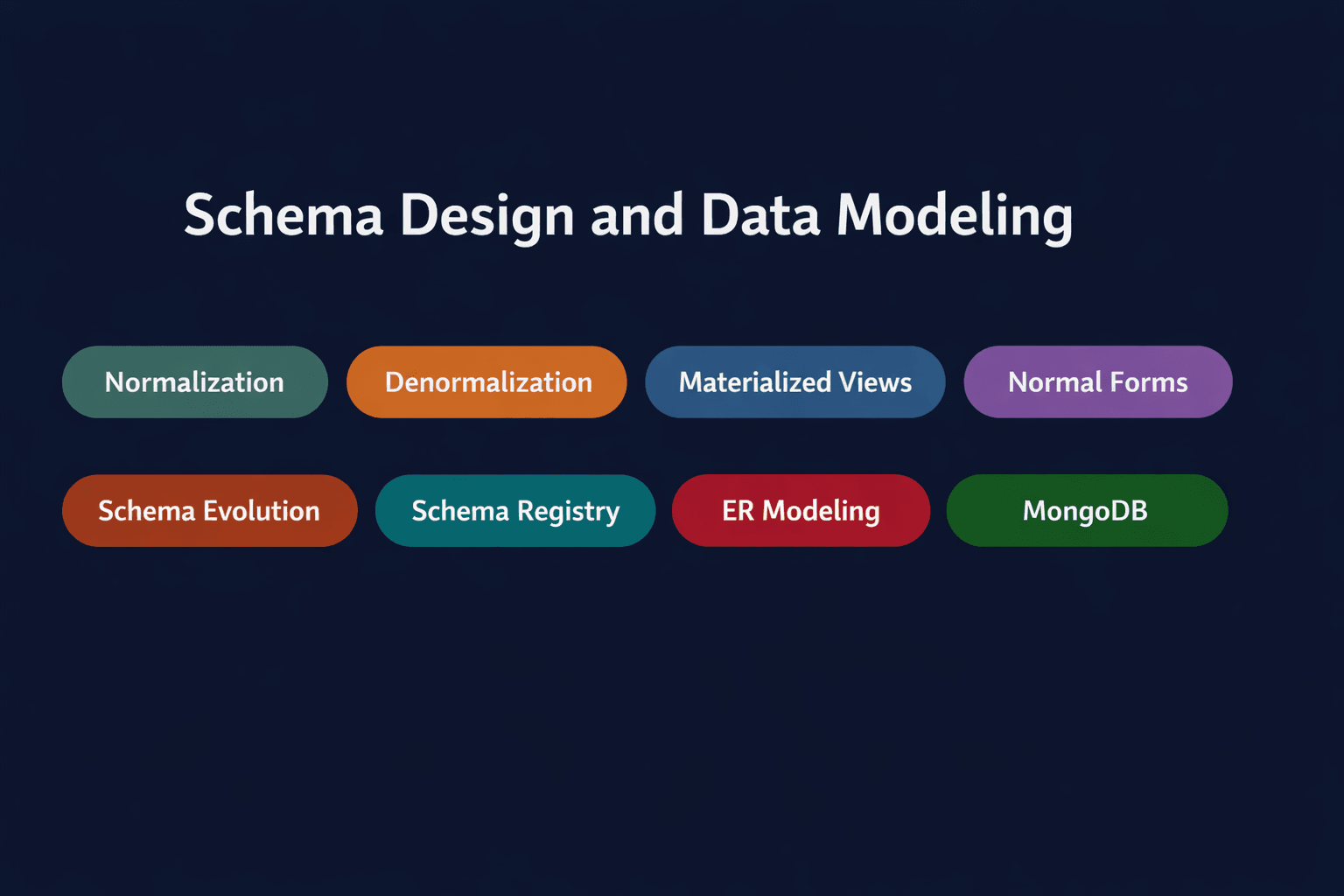
This post covers the schema design and data modeling concepts that backend engineers deal with in real systems:
- Normalization — organising data to reduce redundancy
- Denormalization — breaking those rules for speed
- Normalization in MongoDB — embedding vs referencing
- Materialized views — precomputed query results
- Normal forms — 1NF, 2NF, 3NF and when they matter
- Schema evolution — changing schemas without breaking things
- Schema registry — enforcing contracts between services
- Entity-relationship modeling — thinking before you create tables
Section 1 — Normalization
🔹 Normalization
Simple Explanation
Normalization is the process of organising data into separate, logically structured tables to eliminate redundancy. Each piece of information is stored once. Relationships between entities are expressed via foreign keys rather than copying data across rows.
The goal: no duplicate data, no update anomalies, no inconsistencies.
Analogy
Think about an e-commerce order. Without normalization, every order row might contain the customer's name, email, and address — repeated across every single order they've ever placed. If that customer changes their email, you have to update thousands of rows. With normalization, the customer data lives in one place. The order just references the customer ID. Update the email once and it's correct everywhere.
Mini Diagram
❌ Without normalization:

Orders table:
id | customer_name | customer_email  | product | amount
1  | Alice         | alice@email.com | Laptop  | 1200
2  | Alice         | alice@email.com | Mouse   | 25
3  | Alice         | alice@email.com | Keyboard| 80

Alice's email is duplicated 3 times. Update it in one place
and the others are wrong.

✅ With normalization:

Customers:
id | name  | email
1  | Alice | alice@email.com


Orders:
id | customer_id | product  | amount
1  | 1           | Laptop   | 1200
2  | 1           | Mouse    | 25
3  | 1           | Keyboard | 80
Alice's data lives once. Orders reference it by ID.
The cost of over-normalizing
Normalization is the right default — but taken too far, it creates a different problem. A single query starts requiring 5 or 6 joins across separate tables. Each join adds cost. On read-heavy systems with large tables, this becomes a serious performance issue.
Normalization optimises for write correctness. It's not always optimal for read performance.
✅ Normalise when:
- Data changes frequently (user profiles, product info, pricing)
- Write correctness and consistency are non-negotiable
- You're building a transactional system (payments, inventory, orders)
❌ Start questioning it when:
- Queries regularly join 4+ tables
- Read performance is suffering and profiling points to joins
- You're building analytics or reporting layers on top of operational data
Interview Insight
"What are update anomalies?" — These are the problems normalization prevents. There are three types. An insert anomaly means you can't add data without also adding unrelated data. A delete anomaly means deleting one record accidentally removes other information. An update anomaly means you have to update the same data in multiple places. All three go away with proper normalization. Knowing these by name shows you understand why normalization exists, not just what it does.
Section 2 — Normal Forms (1NF, 2NF, 3NF)
Normal forms are rules you apply one step at a time to clean up your schema. Each form fixes a specific type of problem. The easiest way to understand them is through one consistent example — a school database — that gets progressively cleaned up at each step.
Let's start with this messy table that stores student course enrollments:
student_id | student_name | courses              | teacher    | teacher_phone
1          | Alice        | Math, Science        | Mr. Rahman | 01711111
2          | Bob          | Math, English        | Mr. Rahman | 01711111
3          | Carol        | Science, Art, English| Ms. Fatema | 01822222
This table has multiple problems. Let's fix them one normal form at a time.
🔹 First Normal Form (1NF) — One value per cell
The rule: Every cell must contain a single value. No comma-separated lists, no multiple values stuffed into one column.
The problem in our table:
Alice's courses column contains "Math, Science" — two values in one cell. That's the violation. You can't query "give me all students taking Math" cleanly because the data is buried inside a string.
The fix: Give each course its own row.
student_id | student_name | course  | teacher    | teacher_phone
1          | Alice        | Math    | Mr. Rahman | 01711111
1          | Alice        | Science | Mr. Rahman | 01711111
2          | Bob          | Math    | Mr. Rahman | 01711111
2          | Bob          | English | Mr. Rahman | 01711111
3          | Carol        | Science | Ms. Fatema | 01822222
3          | Carol        | Art     | Ms. Fatema | 01822222
3          | Carol        | English | Ms. Fatema | 01822222
Now every cell has exactly one value. The table is in 1NF.
But notice a new problem: Alice's name, Mr. Rahman's name, and his phone number repeat multiple times. That's the next problem to fix.
🔹 Second Normal Form (2NF) — Every column must depend on the whole key
The rule: The primary key of this table is the combination of (student_id, course) — you need both to identify a row. Every other column must depend on both of these, not just one.
The problem in our table:
student_name only depends on student_id — it has nothing to do with which course the student takes. If Alice takes 10 courses, her name is stored 10 times. Same with teacher and teacher_phone — they depend on course, not on student_id.
This is called a partial dependency — some columns only depend on part of the primary key.
The fix: Split the table so each piece of information lives in the right place.
Students table:
student_id | student_name
1          | Alice
2          | Bob
3          | Carol

Courses table:
course   | teacher    | teacher_phone
Math     | Mr. Rahman | 01711111
Science  | Mr. Rahman | 01711111
English  | Mr. Rahman | 01711111
Art      | Ms. Fatema | 01822222

Enrollments table (the link between students and courses):
student_id | course
1          | Math
1          | Science
2          | Math
2          | English
3          | Science
3          | Art
3          | English
Now student_name only lives in the Students table. Course assignments only live in Enrollments. The table is in 2NF.
But there's still one more problem — look at the Courses table.
🔹 Third Normal Form (3NF) — No column should depend on another non-key column
The rule: In your table, no non-key column should get its value from another non-key column. Every column should depend directly on the primary key, and nothing else.
The problem in our Courses table:
course   | teacher    | teacher_phone
Math     | Mr. Rahman | 01711111
Science  | Mr. Rahman | 01711111
The primary key here is course. teacher depends on course — that's fine. But teacher_phone doesn't depend on course directly. It depends on teacher. If you know the teacher, you know the phone — the course is irrelevant.
This is called a transitive dependency — course → teacher → teacher_phone.
The real problem: if Mr. Rahman changes his phone number, you have to update every row that lists him. Miss one and the data is inconsistent.
The fix: Pull the teacher information into its own table.
Courses table:
course   | teacher_id
Math     | 1
Science  | 1
English  | 1
Art      | 2

Teachers table:
teacher_id | teacher_name | teacher_phone
1          | Mr. Rahman   | 01711111
2          | Ms. Fatema   | 01822222

Students table (unchanged):
student_id | student_name
1          | Alice
2          | Bob
3          | Carol

Enrollments table (unchanged):
student_id | course
1          | Math
1          | Science
...
Now every column in every table depends only on the primary key of that table, and nothing else. The schema is in 3NF.
Mr. Rahman changes his phone? Update one row in the Teachers table. Done.
Remembering the three rules simply:
- 1NF → One value per cell. No lists, no multiple values crammed in.
- 2NF → Every column must need the whole primary key, not just part of it.
- 3NF → Every column must depend directly on the key — not on another column that itself depends on the key.
Each form fixes one specific type of redundancy. You apply them in order — you can't be in 2NF without being in 1NF first.
The practical takeaway
In production, design to 3NF by default. You don't need to worry about the higher normal forms (BCNF, 4NF, 5NF) for most systems. If your schema is in 3NF, it's clean enough to avoid the data integrity problems that cause bugs and inconsistencies in production.
Section 3 — Denormalization
🔹 Denormalization
Simple Explanation
Denormalization is the deliberate decision to duplicate data in order to improve read performance. You trade storage and consistency for speed. Instead of joining five tables at query time, you pre-join the data at write time and store the result.
It's not a mistake or a shortcut. It's a deliberate architectural decision — but only after you've measured that joins are genuinely your bottleneck.
Analogy
Imagine a restaurant that serves the same three-course meal every day. A normalised kitchen prepares each component separately and assembles it on order. A denormalised kitchen pre-plates the meal in the morning and serves it directly. Faster at serving, but if the menu changes, every pre-plated meal is now wrong.
Mini Diagram
Normalized (3 queries or a 3-table join):
Users → Orders → Products

Denormalized (1 query, everything in one place):
OrderSummaries:
id | user_name | user_email | product_name | amount | order_date
PostgreSQL example
A normalised orders system might look like:
SELECT u.name, u.email, p.name AS product, o.amount
FROM orders o
JOIN users u ON o.user_id = u.id
JOIN products p ON o.product_id = p.id
WHERE o.created_at > NOW() - INTERVAL '7 days';
If this query runs millions of times a day on a dashboard, you might create a denormalized order_summaries table that stores user_name, user_email, and product_name directly — and populate it via a trigger or background job on each new order. The dashboard query becomes:
SELECT * FROM order_summaries WHERE created_at > NOW() - INTERVAL '7 days';One table, no joins.
The risks you must plan for
Denormalization introduces data duplication. If user_email is stored in order_summaries and the user updates their email, your denormalized data is now stale. You have to decide: is it acceptable for old order summaries to show the old email? Usually yes. But you have to make that decision consciously, not discover it as a bug later.
✅ Denormalise when:
- Read performance is measured and proven to be the bottleneck
- The data is read far more often than it's written
- You're building dashboards, analytics, or reporting layers
- The duplicated data changes rarely (product names, historical order data)
❌ Don't denormalise when:
- The duplicated data changes frequently and must stay in sync everywhere
- You haven't profiled and confirmed that joins are actually the problem
- You're adding complexity speculatively "just in case"
Interview Insight
"When would you choose denormalization over normalization?" The answer should start with "it depends on the read/write ratio and query patterns." Don't say "denormalization is faster" without qualification. The correct answer: normalise by default for write-heavy or consistency-critical systems; consider denormalization for read-heavy analytics or dashboard systems where specific query patterns have been profiled and shown to be slow.
Section 4 — Normalization in MongoDB: Embedding vs Referencing
MongoDB deserves its own section here because the normalization decision works differently in a document database.
🔹 Embedding (Denormalized)
In MongoDB, you can store related data inside the same document as a nested object or array. This is embedding — MongoDB's version of denormalization.
// User document with embedded orders (denormalized)
{
  _id: ObjectId("..."),
  name: "Alice",
  email: "alice@email.com",
  orders: [
    { order_id: 101, product: "Laptop", amount: 1200, date: "2024-01-15" },
    { order_id: 102, product: "Mouse",  amount: 25,   date: "2024-01-20" }
  ]
}
One query fetches the user and all their orders. No $lookup (MongoDB's equivalent of JOIN) needed.
Use embedding when:
- Data is always accessed together
- The relationship is one-to-few (not one-to-thousands)
- The embedded data doesn't change independently very often
- You need atomic updates (a single document write is atomic in MongoDB)
The 16MB limit matters here. MongoDB documents have a 16MB size cap. If a user could have 100,000 orders, embedding them all is not an option — the document will eventually blow up.
🔹 Referencing (Normalized)
Referencing in MongoDB works similarly to foreign keys in SQL — you store the ID of a related document and look it up separately.
// Users collection (normalized)
{
  _id: ObjectId("user_1"),
  name: "Alice",
  email: "alice@email.com"
}

// Orders collection
{
  _id: ObjectId("order_101"),
  user_id: ObjectId("user_1"),
  product: "Laptop",
  amount: 1200,
  date: "2024-01-15"
}
Fetching a user's orders now requires a $lookup:
db.users.aggregate([
  { $lookup: {
    from: "orders",
    localField: "_id",
    foreignField: "user_id",
    as: "orders"
  }}
])
Use referencing when:
- Related data is large or unbounded (could grow to thousands of records)
- Related data is updated frequently and independently
- Data is shared across multiple parent documents (e.g., a product referenced in many orders)
- You need to query the related data independently
The MongoDB design rule of thumb:
Design your schema around your queries, not around the shape of your data.
In relational databases, you normalise first and let the query optimizer handle joins. In MongoDB, you design the schema to serve your most common queries — even if that means duplicating data. Poor schema design in MongoDB causes worse performance problems than in PostgreSQL, because MongoDB's query planner can't compensate for bad data layouts the same way a relational optimizer can.
Section 5 — Materialized Views
🔹 Materialized View
Simple Explanation
A materialized view is a precomputed query result stored physically in the database. Unlike a regular view (which runs the query fresh every time), a materialized view stores the output and serves it directly. You refresh it on a schedule or when the underlying data changes.
Think of it as a cache for SQL queries — but managed by the database itself.
Analogy
A regular view is like asking your accountant to calculate last month's revenue every time you ask. They redo the work from scratch each time. A materialized view is like asking them to prepare a report every morning. When you ask for revenue, they hand you the report. The data might be a few hours old, but you get the answer instantly.
PostgreSQL example
-- Create a materialized view of daily sales per user
CREATE MATERIALIZED VIEW daily_user_sales AS
SELECT
  user_id,
  DATE(created_at) AS sale_date,
  SUM(amount)      AS total_amount,
  COUNT(*)         AS order_count
FROM orders
GROUP BY user_id, DATE(created_at);

-- Query it like a regular table — instant
SELECT * FROM daily_user_sales WHERE sale_date = '2024-01-15';

-- Refresh when needed
REFRESH MATERIALIZED VIEW daily_user_sales;
Without the materialized view, that aggregation runs over millions of order rows every time the dashboard loads. With it, the result is pre-computed and stored.
MongoDB equivalent
MongoDB doesn't have native materialized views, but you achieve the same thing with aggregation pipelines written to a separate collection:
/ Run this on a schedule (e.g., nightly cron job)
db.orders.aggregate([
  { $group: {
    _id: { user_id: "$user_id", date: { $dateToString: { format: "%Y-%m-%d", date: "$created_at" } } },
    total_amount: { $sum: "$amount" },
    order_count:  { $sum: 1 }
  }},
  { $out: "daily_user_sales" }  // writes result to a separate collection
])
The $out stage writes the aggregation result to daily_user_sales. Dashboard queries hit that collection directly.
Staleness is the tradeoff
The catch with materialized views: the data can be out of date. If you refresh nightly, your dashboard shows yesterday's numbers, not real-time. Whether that's acceptable depends on the use case.
- Analytics dashboards: usually fine with hourly or daily refresh
- Financial reporting: might need near-real-time refresh or REFRESH CONCURRENTLY (PostgreSQL) to avoid locking
- Real-time operational views: materialized views are the wrong tool — use regular queries or caching
✅ Use materialized views when:
- A query is expensive and runs frequently
- The result doesn't need to be real-time
- Aggregations or joins span large datasets
❌ Avoid when:
- Data freshness is critical
- The underlying data changes faster than you can usefully refresh
Interview Insight
"What's the difference between a view and a materialized view?" A regular view is a saved query — it runs fresh every time and always returns current data, but costs compute on every call. A materialized view is a saved result — it's fast to read but can be stale. The tradeoff is freshness vs performance. Materialized views are essentially the database-managed version of caching a query result.
Section 6 — Schema Evolution
🔹 Schema Evolution
Simple Explanation
Schema evolution is the process of changing your database schema over time while keeping existing systems running. Every production system evolves — new features require new fields, old fields get deprecated, tables get renamed or restructured. The challenge is making those changes without taking down services or corrupting data.
The golden rule: prefer additive, backward-compatible changes.
Analogy
You release version 1 of your API. Clients are built against it. You release version 2 with new fields. If you remove a field that clients depend on, they break. If you only add new optional fields and keep everything else the same, existing clients keep working. Schema evolution works the same way — adding columns is safe, removing or renaming them is dangerous.
Safe vs dangerous changes
Safe (backward-compatible):
- Adding a new nullable column with a default value
- Adding a new table or collection
- Adding a new index
- Adding a new optional field in MongoDB
Dangerous (breaking changes):
- Renaming a column (old queries using the old name break)
- Removing a column (any code referencing it breaks)
- Changing a column's data type
- Adding a NOT NULL column without a default (existing rows fail the constraint)
PostgreSQL example — safe evolution
-- Safe: adding a nullable column with a default
ALTER TABLE users ADD COLUMN age INTEGER DEFAULT NULL;

-- Safe: adding a new column for a new feature
ALTER TABLE users ADD COLUMN last_login_at TIMESTAMP;

-- Dangerous: this will fail if any existing rows have NULL in that column
-- ALTER TABLE users ADD COLUMN phone VARCHAR(20) NOT NULL;
-- Do this instead:
ALTER TABLE users ADD COLUMN phone VARCHAR(20);
-- Then backfill, then add constraint if needed
UPDATE users SET phone = '' WHERE phone IS NULL;
ALTER TABLE users ALTER COLUMN phone SET NOT NULL;
MongoDB schema evolution
MongoDB is schema-flexible by default — documents in the same collection can have different fields. This makes additive changes easy, but it creates a different problem: inconsistent document shapes that your application code has to handle.
// Version 1 documents
{ _id: 1, name: "Alice" }

// Version 2 documents (new field added)
{ _id: 2, name: "Bob", phone: "01711111" }

// Your application code now has to handle both shapes:
const phone = user.phone ?? "not provided";
For enforced schema validation in MongoDB, use JSON Schema validation:
db.createCollection("users", {
  validator: {
    $jsonSchema: {
      bsonType: "object",
      required: ["name", "email"],
      properties: {
        name:  { bsonType: "string" },
        email: { bsonType: "string" },
        phone: { bsonType: "string" }  // optional
      }
    }
  }
})
Migration tooling
In production, schema changes are managed with migration tools:
- PostgreSQL / MySQL: Flyway, Liquibase, or framework-native tools (Prisma Migrate, Rails Active Record Migrations)
- MongoDB: Mongock, or custom migration scripts
Migrations run in order, are version-controlled, and are tracked in the database so each one runs exactly once. This is how you apply schema changes safely across dev, staging, and production environments.
Interview Insight
"How would you rename a column in a production PostgreSQL database with zero downtime?" This is a classic. The naive answer — ALTER TABLE users RENAME COLUMN old TO new — breaks every query using the old name the moment it runs. The correct approach: add the new column, start writing to both, migrate existing data, update all code to use the new column, then drop the old one. Each step is independently safe. This is called an expand-contract migration pattern.
Section 7 — Schema Registry
🔹 Schema Registry
Simple Explanation
A schema registry is a centralised service that stores and versions the schemas used by producers and consumers in a distributed system. It acts as a contract — before a producer sends a message and before a consumer reads one, both parties verify the message format against the registry.
Without it, a schema change by one service can silently corrupt data being consumed by another.
Analogy
Two teams are collaborating via a shared API. Without a contract, Team A changes the JSON response format and Team B's parser breaks — silently, at runtime, in production. A schema registry is the formal contract between them. Before Team A ships a change, the registry checks whether existing consumers can still read the new format.
Mini Diagram
Producer service
    ↓
Check schema with registry → is this format valid?
    ↓
Send message (Kafka, RabbitMQ, etc.)

Consumer service
    ↓
Check schema with registry → do I know how to read this?
    ↓
Deserialize and process
Where this matters most
Schema registries are common in Kafka-based event-driven systems. Confluent Schema Registry is the standard here. It supports Avro, Protobuf, and JSON Schema formats, and enforces compatibility rules:
- Backward compatible: new schema can read old data — consumers can upgrade gradually
- Forward compatible: old schema can read new data — producers can upgrade first
- Full compatible: both directions work — the safest, most restrictive option
Real example
A payments service publishes a PaymentProcessed event. Initially the schema has amount, currency, and user_id. The team adds payment_method to the schema. With backward compatibility enforced by the registry, the consumer doesn't break — payment_method is treated as optional until the consumer is updated to handle it. The registry rejects any schema change that would break existing consumers.
Without a schema registry, you find out about breaking changes in production when a consumer starts throwing deserialization errors.
✅ Use a schema registry when:
- You have multiple services producing and consuming events
- Schemas evolve independently across services
- You use Kafka, Pulsar, or other message brokers at scale
- You need an audit trail of schema versions
❌ You probably don't need one when:
- You have a monolith or very few services
- Message formats are tightly controlled and versioned in code
- The overhead of maintaining a registry outweighs the benefit
Section 8 — Entity-Relationship Modeling
Before any of the above — before you write a single CREATE TABLE or mongoose schema — you need to think about the data model itself. This is where entity-relationship (ER) modeling comes in.
🔹 ER Modeling
Simple Explanation
ER modeling is the process of identifying the entities in your system (users, orders, products, payments), their attributes (fields), and the relationships between them (a user has many orders, an order has many products). It's the blueprint before the build.
Getting ER modeling wrong means your schema is wrong from day one — and schema mistakes compound over time.
The three relationship types
One-to-One A user has one profile. A profile belongs to one user.
-- PostgreSQL
CREATE TABLE users    (id SERIAL PRIMARY KEY, name TEXT);
CREATE TABLE profiles (id SERIAL PRIMARY KEY, user_id INT UNIQUE REFERENCES users(id), bio TEXT);
In MongoDB, one-to-one relationships are almost always embedded:
{ _id: 1, name: "Alice", profile: { bio: "Engineer based in Dhaka" } }
One-to-Many A user has many orders. An order belongs to one user.
-- PostgreSQL
CREATE TABLE orders (id SERIAL PRIMARY KEY, user_id INT REFERENCES users(id), amount DECIMAL);
In MongoDB — embed for few orders, reference for many:
// Few orders → embed
{ _id: 1, name: "Alice", recent_orders: [ { amount: 1200 }, { amount: 25 } ] }

// Many orders → reference
// Orders collection: { user_id: ObjectId("..."), amount: 1200 }
Many-to-Many A student enrolls in many courses. A course has many students.
-- PostgreSQL — junction table
CREATE TABLE enrollments (student_id INT REFERENCES students(id), course_id INT REFERENCES courses(id), PRIMARY KEY (student_id, course_id));
In MongoDB — typically an array of references:
// Course document
{
  _id: ObjectId("course_1"),
  title: "Backend Engineering",
  student_ids: [ ObjectId("student_1"), ObjectId("student_2") ]
}
Interview Insight
"How would you model a social media following system?" This is a classic ER modeling question. User A follows User B. It's many-to-many (a user can follow many, be followed by many). In PostgreSQL: a follows junction table with follower_id and followee_id. In MongoDB: an array of following IDs in the user document works for small follow counts, but for accounts with millions of followers, a separate follows collection with references is the right call. The answer should show you're thinking about data scale, not just schema shape.
Section 9 — Putting It All Together
Every concept in this post feeds into the same decision: how do I structure data so that it's correct, fast, and maintainable as the system grows?
Here's the mental model:
Start with ER modeling
  → Identify entities, relationships, cardinalities

Apply normalization (default)
  → 3NF for most transactional systems
  → Eliminates redundancy, prevents update anomalies

Identify read-heavy query patterns
  → If joins are killing performance → consider denormalization
  → Precomputed data → materialized views

Choose your database model
  → Relational: normalise to 3NF, denormalise selectively
  → MongoDB: embed for read-together data, reference for large/independent data

Plan for schema evolution
  → Additive changes only for backward compatibility
  → Migration tooling to manage changes safely

Distributed systems
  → Schema registry to enforce contracts between producers and consumers
How These Concepts Appear in Real Systems
PostgreSQL Default choice for transactional systems. Use 3NF normalisation, foreign keys, and constraints. Materialized views are first-class. Schema migrations managed with Flyway, Liquibase, or Prisma Migrate.
MySQL Similar to PostgreSQL for schema design. InnoDB enforces foreign key constraints. Materialized views aren't natively supported — replicated with scheduled queries or application-level logic.
MongoDB Schema design is query-driven, not normalisation-driven. Embed for data accessed together; reference for large, independent, or shared data. JSON Schema validation adds optional enforcement. No native materialized views — use $out aggregations on a schedule.
Cassandra No joins at all. Schema design is entirely around query patterns — you create one table per query pattern. Denormalization is the default, not the exception. Data is duplicated intentionally across multiple tables to serve different access patterns.
Kafka with Confluent Schema Registry Avro or Protobuf schemas for event messages. The registry enforces backward/forward compatibility rules as schemas evolve. Standard in large event-driven architectures.
Conclusion
Schema design is a set of deliberate tradeoffs:
- Normalise to keep data consistent and writes safe. Don't denormalise until you've measured a real performance problem.
- Denormalise selectively for read-heavy paths where joins are proven bottlenecks — not speculatively.
- Materialized views are the clean middle ground — keep your source data normalised, serve fast reads from precomputed results.
- In MongoDB, design around your queries. Embedding is fast; referencing is flexible. Know when each applies.
- Schema evolution is unavoidable — build migrations into your workflow from day one, not as an afterthought.
- Schema registry is the safety net in distributed systems. Without it, schema changes between services become production incidents.
The engineers who build schemas that age well aren't the ones who followed the most rules. They're the ones who understood the tradeoffs and made deliberate decisions at each step.