How Databases Store Your Data: B-Trees, LSM Trees, WAL, and More
Introduction
You pick a database. You write your queries. Data goes in, data comes out. Most engineers stop there.
But what happens between those two steps determines everything — read speed, write speed, crash recovery, and how your system behaves under load. The storage layer is where those decisions live.
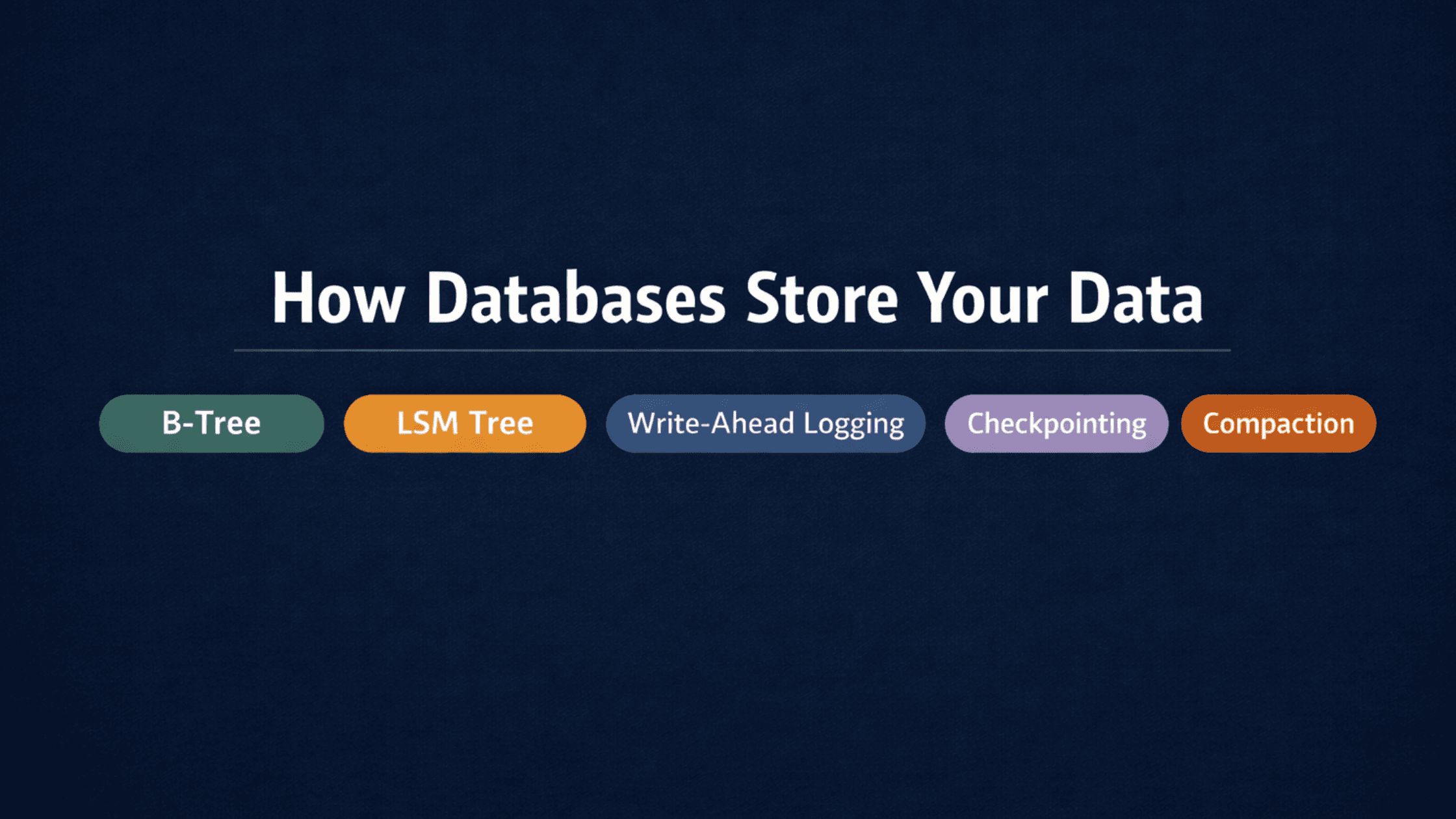
This post covers the core database storage structures every backend engineer should understand:
- B-Tree — how databases find data fast
- LSM Tree — how write-heavy systems stay fast
- Write-Ahead Logging (WAL) — how databases survive crashes
- Checkpointing — how recovery stays manageable
- Compaction — how storage stays clean
These aren't abstract theory. They're the structures running inside PostgreSQL, Cassandra, RocksDB, and MySQL right now — and the tradeoffs behind them directly affect how you design systems.
Section 1 — Reading Fast: The B-Tree
🔹 B-Tree
Simple Explanation
A B-tree is a self-balancing tree structure that keeps data sorted and organised on disk. Databases use it to build indexes — when you query by ID or a specific column, the B-tree is what lets the database jump directly to the right row instead of scanning everything.
Every search, insert, and delete runs in logarithmic time — O(log n). The tree stays balanced automatically, so performance doesn't degrade as data grows.
Analogy
Think of a sorted phonebook divided into sections — A, B, C through to Z. You don't start from page 1 to find "Smith." You jump straight to S, then narrow from there. B-trees work the same way, but across disk pages instead of paper pages. Each node holds a range of keys, and you navigate by range until you land on the exact record.
Mini Diagram
[10 | 20]
         /    |    \
   [1..9] [11..19] [21..30]

Query: WHERE id = 15
→ Start at root [10 | 20]
→ 15 is between 10 and 20 → go middle
→ Found in [11..19] range ✓
Instead of scanning 30 rows, you made 2 jumps.
When to Use / Not Use
✅ Use B-tree when:
- Your workload is read-heavy
- You run range queries (WHERE age > 30)
- You need point lookups (WHERE id = 15)
- You're building transactional systems
❌ Avoid when:
- You have write-heavy, high-throughput workloads
- You're doing bulk inserts at high frequency
- You're building append-only logging systems
- You're ingesting time-series or analytics data at massive scale
Interview Insight
Interviewers often ask: "Why does adding an index speed up reads but slow down writes?" The answer is the B-tree. On every insert or update, the database has to update the B-tree index to keep it sorted and balanced — that's extra disk writes on top of the data write itself. More indexes = faster reads, slower writes. Knowing this tradeoff is what separates engineers who just use indexes from those who design systems around them.
Where it's used
- PostgreSQL (default index type)
- MySQL InnoDB
- Oracle DB, MS SQL Server
Section 2 — Writing Fast: The LSM Tree
🔹 LSM Tree (Log-Structured Merge Tree)
Simple Explanation
An LSM tree is a storage structure built for write-heavy workloads. Instead of writing directly to disk and updating an index in place (like a B-tree does), it accepts writes into memory first, then flushes them to disk in sorted batches.
The tradeoff: writes are fast, reads are slower. Data may be spread across multiple files on disk until compaction merges them.
Analogy
Imagine a busy post office. Mail arrives constantly. Instead of sorting every letter the moment it arrives (slow), staff dump letters into a tray (memory). When the tray fills up, they sort the whole batch at once and file it (flush to disk). Periodically, they merge old filing cabinets together to remove duplicates and keep things tidy (compaction).
That's exactly how an LSM tree works — write now, organise later.
Mini Diagram
Incoming writes
      ↓
  MemTable (RAM) — fast, in-memory writes
      ↓ (when full)
  SSTable on disk — sorted, immutable file
      ↓ (periodically)
  Compaction — merge SSTables, remove old versions
A read has to check the MemTable first, then work down through SSTable levels. That's why reads are slower — data might be in any of those layers.
When to Use / Not Use
✅ Use LSM when:
- You're handling millions of writes per second
- Your workload is append-heavy (logs, events, metrics)
- You're ingesting time-series or analytics data
❌ Avoid when:
- You need frequent random point lookups
- Low read latency is a hard requirement
- You're doing lots of updates to the same keys
Interview Insight
A common interview question: "Why does Cassandra handle writes so much faster than PostgreSQL?" The answer is the storage engine. PostgreSQL uses B-trees — every write updates the index in place on disk. Cassandra uses an LSM tree — every write goes to memory first, making individual writes extremely cheap. The cost is read complexity, which Cassandra mitigates with bloom filters (a structure that quickly tells you if a key definitely doesn't exist in a given SSTable, avoiding unnecessary disk reads).
Where it's used
- Apache Cassandra
- RocksDB
- LevelDB
- Elasticsearch (via Lucene)
B-Tree vs LSM Tree at a Glance
B-Tree
- Write speed: Moderate
- Read speed: Fast
- Space efficiency: Lower
- Write amplification: Higher
- Best for: Read-heavy, transactional workloads
- Examples: PostgreSQL, MySQL
LSM Tree
- Write speed: Fast
- Read speed: Moderate
- Space efficiency: Higher
- Write amplification: Lower
- Best for: Write-heavy, append-heavy workloads
- Examples: Cassandra, RocksDB
Section 3 — Surviving Crashes: Write-Ahead Logging (WAL)
🔹 Write-Ahead Logging (WAL)
Simple Explanation
WAL is a durability mechanism used by almost every serious database. Before any change is applied to the actual data files, the database writes that change to a log first. If the system crashes mid-operation, the database replays the log on restart and recovers the lost changes.
The rule is simple: log first, apply later.
Analogy
Before a surgeon makes an incision, the team does a checklist — every step is recorded before it happens. If something goes wrong mid-operation, the team knows exactly where they were and what needs to be undone or completed. WAL is that checklist for your database. Nothing happens without a record of it first.
Mini Diagram
Write request arrives
        ↓
Write to WAL log ✅ (sequential disk write — fast)
        ↓
Apply change to database pages

Crash scenario:
        ↓
Restart → Read WAL
        ↓
Replay uncommitted changes → Data restored ✓
Sequential writes to the WAL are fast. Random writes to data pages are slow. WAL turns random writes into sequential ones, which is part of why it improves performance as well as durability.
When to Use / Not Use
WAL isn't really optional in production databases — it's the foundation of the 'D' in ACID (Durability). The tradeoffs are configuration decisions, not on/off choices:
- fsync on commit: full durability but slower commits. Turn it off and you get faster commits with a small crash risk.
- WAL level in PostgreSQL: minimal is faster, logical is needed for replication.
- Sync commits: on for safety, off for throughput — with the caveat that you can lose the last few transactions on a crash.
Interview Insight
If you're asked "how does PostgreSQL guarantee data isn't lost on a crash?", the answer is WAL. Go further: explain that WAL writes are sequential (fast), while updating B-tree data pages is random (slow). WAL lets the database defer random writes and batch them, which is why it improves both durability and write throughput. PostgreSQL also uses WAL for replication — the same log that enables crash recovery is streamed to replicas to keep them in sync.
Where it's used
- PostgreSQL
- MySQL (called the redo log in InnoDB)
- CockroachDB
- SQLite
Section 4 — Faster Recovery: Checkpointing
🔹 Checkpointing
Simple Explanation
WAL solves crash recovery. But if your WAL grows to millions of entries, replaying all of them on restart takes a long time. Checkpointing solves this by periodically saving the current database state to disk, so recovery only needs to replay WAL entries from the last checkpoint — not from the very beginning.
Think of it as saving progress.
Analogy
You're playing a game with no saves. You die 3 hours in. You restart from the beginning. That's WAL-only recovery. Now add save points. You die 3 hours in, but your last save was 10 minutes ago. You restart from there. That's checkpointing — the database marks a known-good state, and recovery picks up from that point instead of replaying everything.
Mini Diagram
WAL entries: [1][2][3][4][5] ← CHECKPOINT ✅ [6][7][8]

System crashes after entry [8]

Without checkpoint → replay from [1]
With checkpoint    → replay from [6] only ✓
The older entries before the checkpoint are no longer needed for recovery and can be cleaned up.
When to Use / Not Use
Again, checkpointing is built-in — you tune it, not toggle it.
- Too frequent → performance hit, disk writes spike regularly
- Too rare → WAL grows large, recovery takes longer after a crash
In PostgreSQL, checkpoint_completion_target and checkpoint_timeout control this. The defaults are reasonable for most workloads; you tune them when you see checkpoint-related I/O spikes in monitoring.
Interview Insight
A strong follow-up to any WAL question: "If WAL handles crash recovery, why do we need checkpoints?" The answer — without checkpoints, the database would need to replay the entire WAL history from the start on every restart. Checkpoints bound recovery time. In PostgreSQL, the checkpoint also writes dirty (modified) data pages to disk, which reduces the work WAL has to replay. The WAL then only needs to cover changes since the last checkpoint.
Section 5 — Keeping Storage Clean: Compaction
🔹 Compaction
Simple Explanation
Compaction is specific to LSM tree-based databases. Because LSM trees write data in batches and never update in place, you end up with multiple versions of the same key spread across different SSTable files on disk. Compaction merges those files, removes outdated versions, and keeps only the latest value.
Without compaction, reads get slower over time (more files to check), and storage bloats.
Analogy
You've been taking notes in ten separate notebooks. Each one has updates to the same topics, but they're scattered. Compaction is going through all ten notebooks, consolidating everything into one clean notebook with only the latest version of each note. Throw the old ones away.
Mini Diagram
Before compaction:
  SSTable 1 → { user:1 = "Alice" (v1) }
  SSTable 2 → { user:1 = "Alice M." (v2) }
  SSTable 3 → { user:1 = "Alice Morgan" (v3) }

A read for user:1 checks all 3 files ❌ (slow)

After compaction:
  SSTable merged → { user:1 = "Alice Morgan" (v3) }

A read for user:1 checks 1 file ✓ (fast)
When to Use / Not Use
Compaction is automatic in LSM-based databases, but you control the strategy:
- Size-tiered (default in Cassandra) — best for write-heavy workloads. Merges similarly-sized SSTables together.
- Leveled (default in RocksDB) — better for read-heavy or mixed workloads. Keeps data more organised at the cost of more I/O during compaction.
- Time-window (available in Cassandra) — designed for time-series data with TTLs. Groups SSTables by time range so expired data is easy to drop.
The tradeoff: compaction is CPU and disk-intensive. Running it too aggressively hurts throughput. Running it too rarely causes read amplification and storage bloat.
Interview Insight
If asked "what's the main downside of LSM trees?", the answer involves compaction. Reads can be slow because data is spread across multiple SSTables. Compaction fixes this, but it introduces write amplification — the same data gets rewritten multiple times as it moves through SSTable levels. Engineers at companies running Cassandra or RocksDB at scale spend real time tuning compaction strategies. Knowing this shows you understand production realities, not just theory.
Section 6 — Putting It All Together
These structures don't work in isolation. Here's how they connect:
Write arrives at database
        ↓
WAL logs the change first (durability)
        ↓
B-Tree database: update index in place on disk
LSM Tree database: write to MemTable in RAM
        ↓ (LSM only)
MemTable flushes to SSTable on disk
        ↓
Checkpointing saves current state periodically
        ↓
Compaction (LSM only) merges SSTables, removes old versions
        ↓
WAL entries before last checkpoint can be discarded
Every piece solves a specific problem:
- B-Tree → fast reads and range queries
- LSM Tree → fast writes at high throughput
- WAL → crash recovery and durability
- Checkpointing → bounding recovery time
- Compaction → read performance and storage efficiency in LSM systems
How These Structures Appear in Real Systems
PostgreSQL
- Storage: B-Tree (default indexes)
- WAL: Yes — also used for streaming replication
MySQL InnoDB
- Storage: B-Tree
- WAL: Yes (called the redo log)
Cassandra
- Storage: LSM Tree
- WAL: Yes (called the CommitLog)
- Note: tunable compaction strategies
RocksDB
- Storage: LSM Tree
- WAL: Yes
- Note: used as the storage engine inside many other systems (CockroachDB, MyRocks, etc.)
LevelDB
- Storage: LSM Tree
- WAL: Yes
- Note: simpler LSM implementation, originally by Google
SQLite
- Storage: B-Tree
- WAL: Optional but recommended for concurrent access
CockroachDB
- Storage: Pebble (a RocksDB fork, LSM-based)
- WAL: Yes
- Note: distributed SQL with an LSM engine underneath
The choice of B-tree vs LSM is the single biggest architectural decision in a storage engine. Everything else — WAL, checkpointing, compaction — wraps around it.
Conclusion
Here's what to take away:
- B-trees organise data for fast reads and range queries. Every major relational database uses them for indexes. Writes are slower because the tree has to stay sorted and balanced.
- LSM trees prioritise writes. Data goes to memory first, then disk in batches. Reads are slower without compaction to merge the scattered files.
- WAL makes both types of database crash-safe. Log the change first, apply it second. On restart, replay the log.
- Checkpointing keeps WAL manageable. It marks a known-good state so recovery doesn't replay everything from day one.
- Compaction keeps LSM trees fast and storage clean. Without it, reads degrade and disk fills up with stale versions.
When someone asks you "why is Cassandra better for writes than PostgreSQL?" — the answer runs through all of this. The question was never about the query language. It was always about the storage engine.