Database Indexing and Query Optimization: What Every Backend Engineer Should Know
Introduction
Your query looks fine. The SQL is clean. The logic is correct. But it takes 4 seconds to return 10 rows from a table with 2 million records.
The problem usually isn't the query. It's what's underneath it — the index strategy, the query planner's decisions, and how the database decides to find your data.
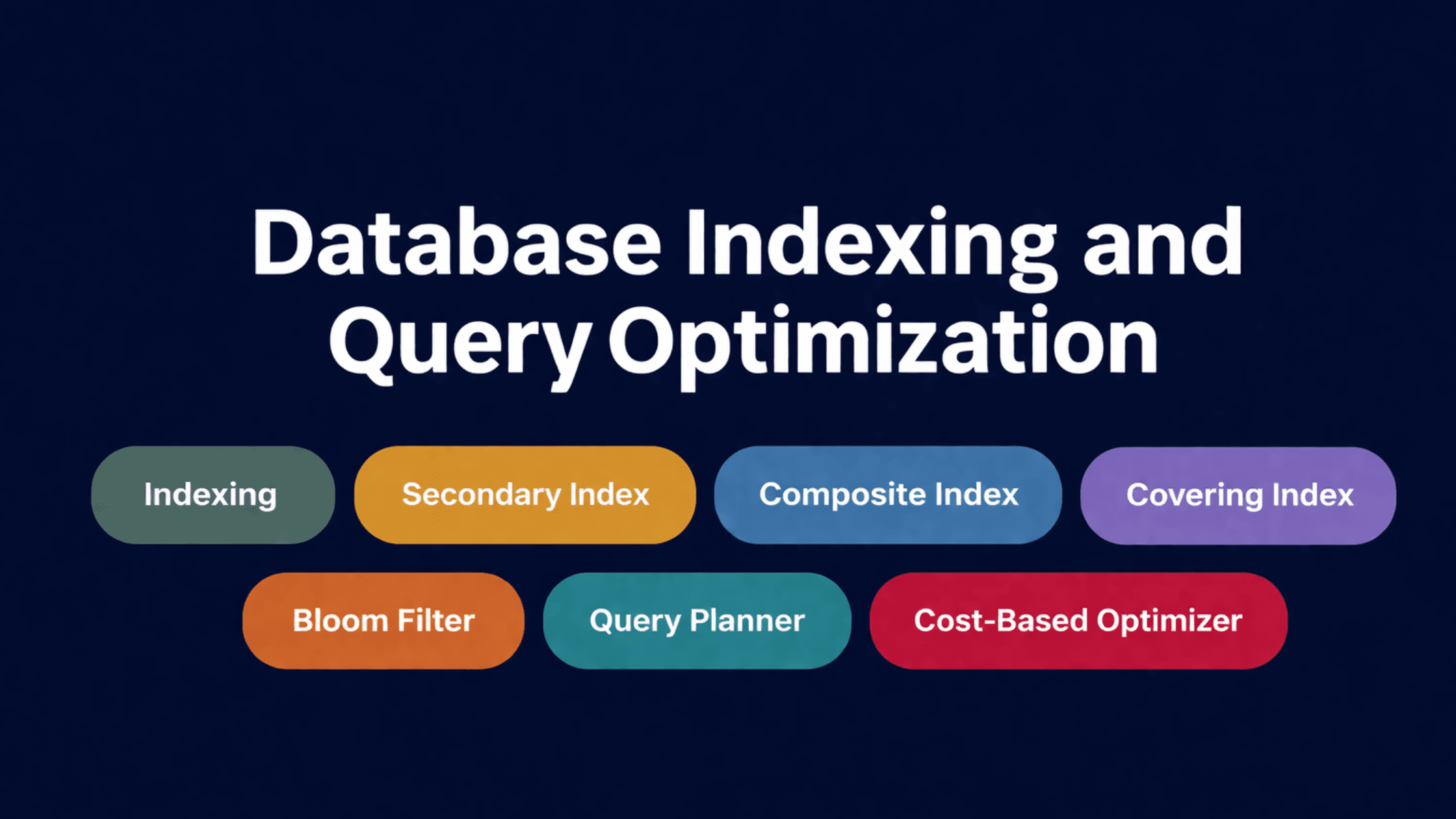
This post covers the indexing and query optimization concepts that actually matter in production:
- Indexing — what it is and what it costs
- Secondary indexes — extra lookup paths and their tradeoffs
- Composite indexes — multi-column indexes and why order matters
- Covering indexes — eliminating table lookups entirely
- Index cardinality and selectivity — why not all indexes are worth having
- Partial indexes — indexing only the rows that matter
- Bloom filters — probabilistic shortcuts for large datasets
- Query planner — how the database decides what to do with your query
- Cost-based optimizer — how it picks between competing execution plans
Section 1 — The Foundation: What Indexing Actually Does
🔹 Indexing
Simple Explanation
An index is a separate data structure — usually a B-tree — that the database maintains alongside your table. It keeps a sorted copy of one or more columns, with pointers back to the actual rows. When you query on an indexed column, the database navigates the index to find the exact location of the data instead of scanning every row.
Without an index, the database has no choice but to check every single row. This is called a full table scan. On a table with 10 rows, that's fine. On a table with 10 million rows, it's a disaster.
Analogy
Think of a textbook. You want to find every mention of "ACID." Without an index, you read every page from start to finish. With an index, you flip to the back, find ACID, and jump directly to pages 42, 87, and 134. Same information — dramatically less work.
Mini Diagram
Without index:
Row 1 → check
Row 2 → check
Row 3 → check
... 2,000,000 more rows

With index:
Index: tanvir@email.com → Row 847,291
Jump directly → ✓
The cost you don't hear about enough
Indexes aren't free. Every time you insert, update, or delete a row, the database has to update every index on that table too. That's extra disk writes on every write operation. The more indexes you have, the slower your writes get.
The common mistake: indexing everything upfront "just in case." This tanks write performance and adds storage overhead with no read benefit for indexes that never get used in actual queries.
✅ Index columns that appear frequently in WHERE, JOIN, ORDER BY, or GROUP BY clauses.
❌ Don't index columns that are rarely queried, have very few distinct values (like a boolean), or sit on tables that are predominantly write-heavy.
Interview Insight
"Why does adding an index speed up reads but slow down writes?" This is one of the most common database interview questions. The answer: reads get faster because the database navigates a sorted structure instead of scanning. Writes get slower because the index has to be kept in sync with every change. More indexes = more maintenance overhead per write.
Section 2 — Secondary Indexes
🔹 Secondary Index
Simple Explanation
Every table has a primary index — usually on the primary key. A secondary index is any additional index on a non-primary-key column. It gives the database another path to find rows — by email, by username, by status, by created date — without touching the primary key.
Analogy
A library organises books primarily by catalogue number (the primary key). But it also maintains a secondary index by author name, so you can find all books by a specific author without scanning the entire catalogue. Both paths lead to the same books — just via different routes.
Mini Diagram
Primary index:   ID → row data
Secondary index: email → ID → row data

Query: WHERE email = 'test@gmail.com'
→ Look up email in secondary index → get ID → fetch row
Notice that secondary index lookups involve an extra step: find the primary key from the secondary index, then fetch the actual row using the primary key. This is called a double lookup or index scan + heap fetch.
When secondary indexes help and when they don't
Secondary indexes work well on high-cardinality columns — columns with many distinct values, like email, phone number, or user ID. They work poorly on low-cardinality columns.
Consider a gender column with two possible values. Indexing it is pointless — roughly half the table matches either value, so the database often prefers a full scan over navigating the index and then fetching half the table anyway. The optimizer will frequently ignore a low-cardinality index entirely.
Interview Insight
Why can a secondary index be slower than a primary index lookup? Two reasons. First, the extra step — secondary index gives you the primary key, then you fetch the row. Second, the rows may not be physically sorted by the secondary index column on disk, so fetching multiple rows can cause random I/O rather than sequential reads.
Section 3 — Composite Indexes
🔹 Composite Index
Simple Explanation
A composite index covers multiple columns together in a single index structure. When your queries filter on more than one column, a composite index can serve the entire lookup from one index traversal instead of requiring multiple separate index lookups.
Analogy
A phone directory is sorted by last name, then by first name within each last name. It's easy to find "Chowdhury, Tanvir" — you navigate to Chowdhury, then scan within that group for Tanvir. But if you only know the first name "Tanvir" and nothing else, the directory is useless — you'd have to scan every entry. Composite indexes work the same way.
Mini Diagram
Index on (first_name, last_name):

(Alice, Brown)
(Alice, Smith)
(Bob, Jones)
(Bob, Taylor)

Query: WHERE first_name = 'Alice' AND last_name = 'Smith'
→ Navigate directly ✓

Query: WHERE last_name = 'Smith' only
→ Can't use this index efficiently ✗
The left-prefix rule — the most important thing about composite indexes
Databases traverse composite indexes left to right. An index on (A, B, C) can serve queries on:
- A alone ✅
- A, B together ✅
- A, B, C together ✅
- B alone ❌ (can't use the index)
- C alone ❌ (can't use the index)
- B, C together ❌ (can't use the index)
This is called the left-prefix rule, and getting the column order wrong is one of the most common indexing mistakes in production systems.
Interview Insight
"Will an index on (A, B) help a query that only filters on B?" — No. The database can't skip to the middle of the index tree. It has to start from A. If your queries frequently filter on B alone, you need a separate index on B, or you need to rethink your index order. Column ordering in composite indexes should match your most common query patterns.
Section 4 — Covering Indexes
🔹 Covering Index
Simple Explanation
A covering index includes all the columns a query needs — both the filter columns and the columns being selected. When a covering index is used, the database gets everything from the index itself without ever touching the main table. No double lookup. No heap fetch. Just the index.
Analogy
You need to know the price and stock quantity of a product, and you're going to search by SKU. If the index contains SKU, price, and quantity all together, you never need to open the product catalogue itself — everything you need is already in the index. That's a covering index.
Mini Diagram
Query: SELECT name FROM users WHERE email = 'x@email.com'

Index on (email) only:
→ Find email in index → get primary key → fetch row for name ← extra disk read

Index on (email, name) — covering index:
→ Find email in index → name is right there ✓ — no table access needed
The tradeoff
Covering indexes are fast for reads but expensive to maintain. They store more data in the index itself — the more columns you include, the larger the index grows on disk and the slower writes become. You don't want to cover every query. You want to cover your most performance-critical queries — the ones running thousands of times per minute in hot paths.
Interview Insight
"What is an index-only scan?" That's PostgreSQL's term for a covering index hit — the query is satisfied entirely from the index without accessing the heap (the main table storage). It shows up in EXPLAIN output and is one of the fastest possible query execution paths. If you see heap fetches in your query plans on hot queries, a covering index might eliminate them.
Section 5 — Index Cardinality and Selectivity
This concept doesn't appear in most intro-level database content, but it's what experienced engineers think about when designing indexes.
🔹 Cardinality
Cardinality is the number of distinct values in a column.
- High cardinality: email, user_id, phone_number — almost every row has a unique value
- Low cardinality: status (active/inactive), gender, boolean flags — a small number of values repeated across many rows
🔹 Selectivity
Selectivity measures how much an index narrows down results. A highly selective index returns a small fraction of rows. A low-selectivity index returns a large fraction.
The relationship is simple: high cardinality usually means high selectivity. And high selectivity means the index is actually useful.
Why this matters in practice
An index on status where 95% of rows have status = 'active' is almost useless for queries filtering on active users. The database will frequently ignore it and do a full scan — because fetching 95% of rows via an index (random I/O, one row at a time) is slower than just scanning the table sequentially.
This is why blindly indexing every column you query is a mistake. Index columns where the values are highly distinct and your queries target a small subset of rows.
Improving selectivity with composite indexes
If a single column has low cardinality, combining it with another column in a composite index can raise the overall selectivity. An index on (status, created_at) is far more selective than (status) alone — even though status has low cardinality by itself.
Section 6 — Partial Indexes
🔹 Partial Index
Simple Explanation
A partial index only indexes the rows that match a specific condition. Instead of indexing an entire column across every row in the table, you index a subset — the rows you actually query.
Analogy
You manage a support ticket system with 10 million tickets. 9.8 million are closed. You only ever query open tickets. A full index on status covers all 10 million rows. A partial index on WHERE status = 'open' only covers 200,000 rows — it's smaller, faster to build, faster to search, and cheaper to maintain.
Mini Diagram
Full index on status:
→ Covers 10,000,000 rows (open + closed)

Partial index: WHERE status = 'open'
→ Covers 200,000 rows only ✓

Query: SELECT * FROM tickets WHERE status = 'open' AND user_id = 42
→ Uses partial index — much faster, much smaller
✅ Use partial indexes when a large portion of your table is irrelevant to the queries you run most. Common cases: soft-deleted rows, closed/completed records, inactive users.
❌ Don't use them when your queries target the full dataset — the partial index won't help.
Interview Insight
Partial indexes are a sign of mature database design. They show you understand that indexes have a cost, and that the best index is one that's as small as possible while still serving the queries that matter. Most junior engineers don't know partial indexes exist.
Section 7 — Bloom Filters
🔹 Bloom Filter
Simple Explanation
A Bloom filter is a probabilistic data structure that answers one question: "Is this value definitely not in the set, or might it be?" It's space-efficient and extremely fast, but it trades accuracy for speed — it can give false positives (say "maybe" when the value isn't actually there), but it never gives false negatives (it will never say "not here" when the value is there).
Analogy
Imagine a bouncer at a venue holding a small card with a checklist. The card can't list every name on the guest list, but it uses a shorthand system. If your name doesn't match the shorthand at all, the bouncer turns you away immediately — you're definitely not on the list. If it does match the shorthand, you might be on the list — but the bouncer still needs to check the actual guest list to confirm. Bloom filters work exactly like this.
Mini Diagram
Incoming query: Does key "user:12345" exist?

Bloom filter check:
→ Hash key → check bit array
→ Bit = 0 → DEFINITELY not in database → skip disk read ✓
→ Bit = 1 → MAYBE in database → proceed to disk lookup

False positive: bit = 1, but key doesn't actually exist → wasted disk read (rare)
False negative: never happens
Where this matters
In LSM tree databases like Cassandra and RocksDB, data is spread across multiple SSTable files on disk. For every read, the database would normally have to check each SSTable to find the key. With a Bloom filter per SSTable, it can instantly eliminate SSTables that definitely don't contain the key — avoiding expensive disk reads.
Without Bloom filters, read performance in LSM tree systems degrades significantly as the number of SSTables grows.
✅ Use Bloom filters when: you have a large dataset with frequent negative lookups (checking for keys that don't exist), and avoiding unnecessary disk I/O is critical.
❌ Don't rely on them when: exact accuracy is required, or you need to store and retrieve actual data (Bloom filters only tell you about existence — they store no data).
Interview Insight
"How does Cassandra handle reads despite spreading data across multiple SSTables?" The answer involves Bloom filters. Each SSTable has a Bloom filter in memory. A read checks the Bloom filter for each SSTable first — if the filter says "definitely not here," skip the SSTable. Only when the filter says "maybe here" does the database incur the disk read. This keeps read performance manageable even with many SSTable levels.
Section 8 — The Query Planner
🔹 Query Planner
Simple Explanation
When you write a SQL query, you describe what you want — not how to get it. The query planner is the database component that figures out the how. It takes your SQL, looks at the available indexes, the table structure, and data statistics, then generates an execution plan — a step-by-step blueprint for fetching the data.
You write SQL. The query planner decides everything else.
Analogy
You tell a cab driver "take me to the airport." You don't specify the route. The driver picks based on their knowledge of traffic, distance, and road conditions. The query planner is that driver — it picks the route (execution strategy) based on what it knows about the data.
Mini Diagram
SQL query
    ↓
Query Planner
    ↓
Considers:
  → Available indexes
  → Table row counts
  → Column statistics
  → Join methods (hash join, nested loop, merge join)
    ↓
Execution Plan (the chosen strategy)
    ↓
Result
Reading query plans with EXPLAIN
In PostgreSQL and MySQL, you can see what the planner decided by running EXPLAIN before your query:
EXPLAIN SELECT * FROM users WHERE email = 'tanvir@email.com';
The output shows whether the planner chose an index scan, a sequential scan, what join method it used, and how many rows it estimated at each step. EXPLAIN ANALYZE runs the query and shows actual row counts alongside estimates — useful for catching cases where the planner's estimates are wildly off.
When the planner gets it wrong
The planner isn't perfect. It makes decisions based on statistics — estimates of row counts, value distributions, and data ranges. If those statistics are stale or inaccurate, the planner can choose a bad execution plan. In PostgreSQL, running ANALYZE on a table updates its statistics. After bulk inserts or major data changes, stale statistics are a common cause of unexpectedly slow queries.
Interview Insight
"Can the query planner make wrong decisions?" Yes — and this is a key point. The planner relies on statistics, not perfect knowledge. If the data distribution is unusual (lots of skew toward one value), the planner may significantly underestimate or overestimate how many rows a filter will return, leading to a suboptimal strategy. Tools like EXPLAIN ANALYZE exist precisely to catch these mismatches between estimated and actual row counts.
Section 9 — The Cost-Based Optimizer
🔹 Cost-Based Optimizer (CBO)
Simple Explanation
The cost-based optimizer is what sits behind the query planner. For any given query, there are often multiple valid ways to execute it — different join orders, different index choices, different scan strategies. The CBO evaluates each candidate plan and assigns it an estimated cost (in terms of CPU work, disk I/O, and memory), then picks the plan with the lowest estimated cost.
It's the planner's decision-making engine.
Analogy
You need to drive from A to B. You have three route options. Route 1 is 20 km with no traffic. Route 2 is 15 km with a known bottleneck. Route 3 is 25 km but all highway. A GPS evaluates all three, estimates the total travel time for each, and picks the fastest. The CBO does the same for query execution paths — it doesn't just find a valid plan, it finds the cheapest one.
Mini Diagram
Query: SELECT * FROM orders JOIN users ON orders.user_id = users.id
       WHERE users.country = 'BD'

Plan A: Scan orders → join to users → filter by country
        Estimated cost: 8,500 units

Plan B: Filter users by country → join to orders
        Estimated cost: 320 units ✓

CBO picks Plan B
What "cost" actually means
The optimizer doesn't measure time directly. It uses units that represent estimated resource consumption — disk page reads, CPU cycles, memory usage. These are modelled, not measured. The estimates rely on table statistics: row counts, column value distributions, and index availability.
When the CBO fails
The CBO is only as good as its statistics. Outdated stats, unusual data skew, or very complex multi-join queries can all cause the optimizer to make poor choices. Symptoms include queries that were fast for months and suddenly become slow after a large data load, or queries that run fast on a test database but slowly in production (because the data distributions differ).
In PostgreSQL:
- ANALYZE updates table statistics
- VACUUM ANALYZE cleans dead rows and updates statistics in one step
- pg_statistic stores the statistics the CBO uses
In cases where the optimizer consistently picks a bad plan, most databases support query hints — directives that tell the optimizer to force a specific index or join strategy. Use them sparingly; they're a last resort, not a first move.
Interview Insight
"Why might a query suddenly get slower even though you didn't change anything?" One of the most likely answers is the cost-based optimizer choosing a different execution plan after statistics drift. A table that grew significantly, or one that had a large batch delete followed by inserts, can end up with statistics that no longer reflect the actual data. The CBO then estimates wrong, picks a worse plan, and performance tanks. Running ANALYZE (or its equivalent) often fixes it immediately.
Section 10 — Putting It All Together
These concepts don't exist in isolation. Here's how they connect:
Query comes in
      ↓
Query Planner reads the query
      ↓
Cost-Based Optimizer evaluates available indexes + statistics
      ↓
Picks the cheapest execution plan

If a regular index exists → use it
If a covering index exists → use it (faster, no table fetch)
If index selectivity is too low → skip it, do a full scan instead
If a Bloom filter exists (LSM systems) → check it before disk reads
      ↓
Execute plan → return result
Every concept in this post affects that chain:
- Indexing gives the optimizer options to choose from
- Secondary indexes add lookup paths on non-primary columns
- Composite indexes serve multi-column queries efficiently
- Covering indexes eliminate the table fetch entirely
- Cardinality and selectivity determine whether an index is worth using
- Partial indexes reduce index size by scoping to relevant rows only
- Bloom filters prevent unnecessary disk reads in LSM-based systems
- The query planner and CBO tie all of it together into an execution decision
How These Concepts Appear in Real Systems
PostgreSQL
PostgreSQL uses B-tree indexes by default and supports partial indexes, covering indexes (index-only scans), and composite indexes natively. Its cost-based optimizer uses table statistics maintained by ANALYZE. Running EXPLAIN ANALYZE shows the actual execution plan — one of the most useful debugging tools available. PostgreSQL also supports hash indexes, GIN indexes (for full-text search), and GiST indexes (for geometric data).
MySQL (InnoDB)
MySQL's InnoDB engine uses clustered indexes — the primary key determines the physical order of rows on disk. Secondary indexes store the primary key value rather than a direct row pointer, which is why secondary index lookups require an extra step to fetch the actual row. MySQL's EXPLAIN output shows similar information to PostgreSQL's. The optimizer can be nudged with index hints (USE INDEX, FORCE INDEX) when it picks poorly.
Cassandra
Cassandra doesn't use B-trees. Secondary indexes in Cassandra work differently — they're stored locally on each node and can be inconsistent across the cluster, making them unreliable for high-cardinality columns. Bloom filters are used extensively at the SSTable level to avoid unnecessary disk reads. The general advice with Cassandra: design your data model around your query patterns, not the other way around. Indexes in Cassandra are a patch, not a solution.
Elasticsearch
Elasticsearch inverts the index model — it uses inverted indexes by default, which store a mapping from terms to documents rather than from rows to values. Bloom filters are used internally to speed up segment-level lookups. Query optimization in Elasticsearch involves query planning at the shard level, with the search coordinator aggregating results.
Conclusion
Indexing is one of the highest-leverage tools in backend engineering. A single well-placed index can turn a 4-second query into a 10-millisecond one. A poorly designed index strategy can bring a write-heavy system to its knees.
Here's the mental model to carry forward:
- Every index speeds up reads and slows down writes — that's the fundamental tradeoff.
- Index on high-cardinality, high-selectivity columns where queries are frequent.
- Get composite index column order right — left to right, matching your query patterns.
- Use covering indexes on hot read paths where eliminating the table fetch matters.
- Use partial indexes to keep index size small when only a subset of rows are ever queried.
- Trust the query planner — but verify with EXPLAIN ANALYZE and keep statistics fresh.
- When the cost-based optimizer picks wrong, check your statistics before reaching for query hints.
The engineers who build fast systems aren't necessarily writing better SQL. They're making better decisions about what to index, how to index it, and how to read what the query planner is actually doing.