Backend Guide to Serialization and Deserialization
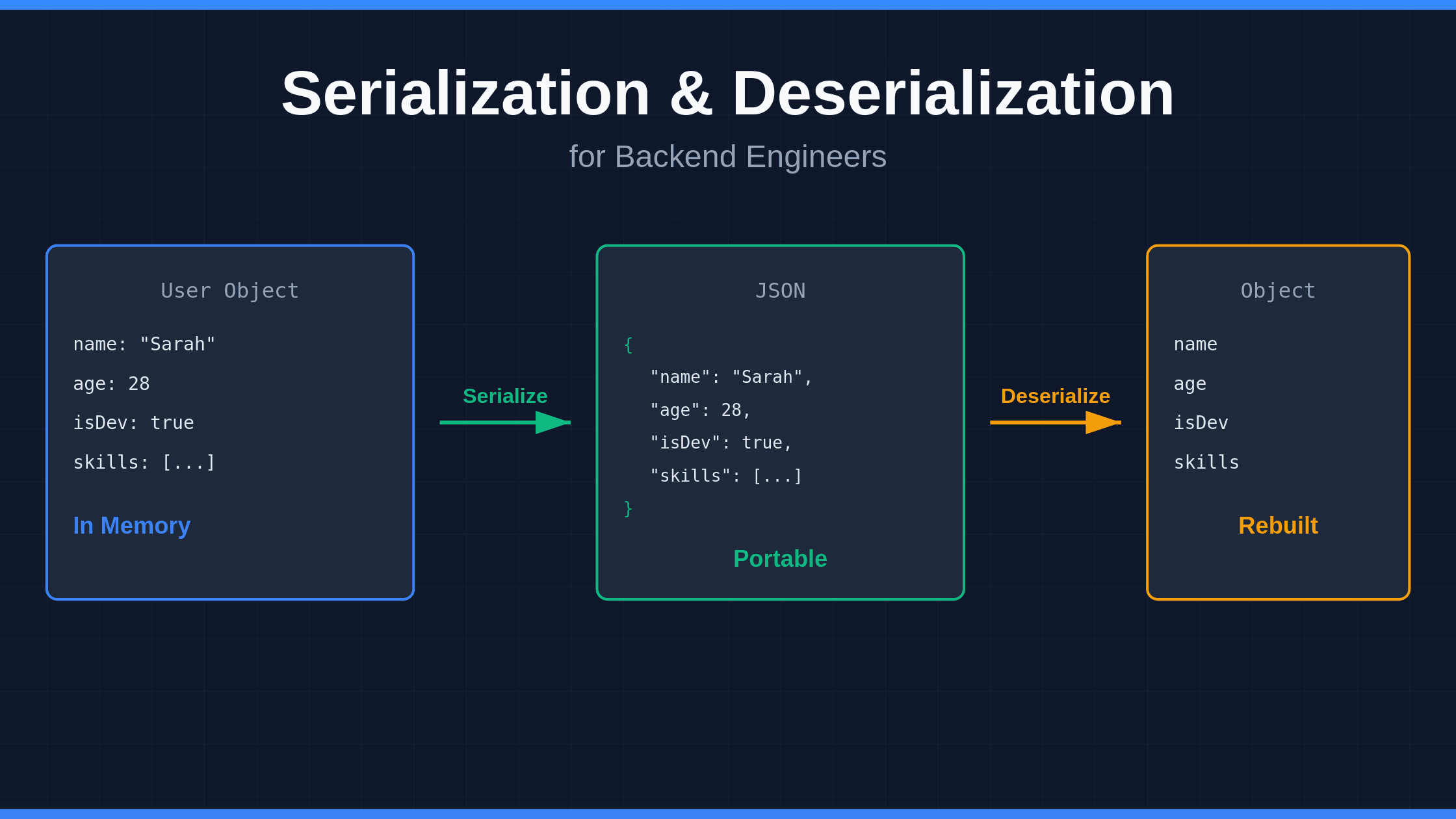
You send data from your Node.js service to your Python microservice. They're different languages, different memory structures, different everything. How do they talk to each other? Serialization and deserialization make it happen.
Here's the deal: your in-memory objects can't travel over a network. They need to transform into something portable—JSON, Protobuf, XML, whatever—then transform back on the other side.
The Problem These Solve
Your backend has data living in memory. Objects, structs, classes—whatever you call them in your language.
You need to:
- Send that data over HTTP
- Store it in Redis
- Drop it in a message queue
- Save it to a file
- Cache it for later
But you can't just copy-paste memory addresses across networks. Different systems, different architectures, different byte ordering. You need a format both sides understand.
Serialization converts your object into that format. Deserialization rebuilds it on the other end.
How It Actually Works
Think of it like this:
You have a User object in your Go service:
type User struct {
    Name        string
    Age         int
    IsDeveloper bool
    Skills      []string
}
You serialize it to JSON:
{
  "name": "Sarah",
  "age": 28,
  "isDeveloper": true,
  "skills": ["Go", "Python", "Rust"]
}
Now your JavaScript frontend can read it. Your Python service can process it. Your database can store it.
When they need the object back, they deserialize that JSON into their own data structures.
Common Formats You'll See
JSON
- Human-readable
- Works everywhere
- Bigger payload size
- Slower than binary formats
- Perfect for REST APIs and config files
Protocol Buffers (Protobuf)
- Binary format
- 60-80% smaller than JSON
- Faster serialization/deserialization
- Requires schema definition
- Used in gRPC and high-performance systems
YAML
- Config files love this
- Human-readable
- Slower to parse
- Not great for data transfer
Avro
- Big data pipelines
- Schema evolution support
- Compact binary format
Real-World Example
Let's say you're building a notification system with AWS SNS.
Your service creates a notification:
notification = {
    "notificationId": "12345",
    "data": {
        "itemId": "98765",
        "timestamp": "2025-02-08T12:34:56Z"
    },
    "metadata": {
        "customerId": "56789"
    }
}
You serialize it to JSON and publish to SNS. Your subscriber service receives the JSON string and deserializes it back into an object it can work with.
Performance Matters
If you're still using JSON everywhere, you might be leaving performance on the table.
Recent benchmarks show Protobuf can:
- Reduce payload size by 60-80%
- Cut response time by 80%
- Lower CPU usage by 17%
- Drop energy consumption by 18%
For high-traffic APIs or microservices, that adds up fast.
Two Approaches to Serialization
Runtime serialization Your code inspects objects on the fly and figures out how to serialize them. Java's built-in serialization and Python's pickle work this way. Uses reflection to examine object structure at runtime.
Compile-time serialization You define a schema beforehand. Code generation happens during build. Protobuf uses this approach—you write .proto files, compile them, and get serialization code ready to go.
Security Risks You Can't Ignore
Deserialization vulnerabilities are nasty. If you deserialize untrusted data without validation, attackers can:
- Execute remote code
- Manipulate application logic
- Bypass authentication
- Tamper with pricing or permissions
Protect yourself:
- Never deserialize untrusted data without validation
- Use allowlists for accepted types
- Prefer data formats over native object serialization
- Add integrity checks (signatures, checksums)
- Keep serialization libraries updated
Common Mistakes
Trusting deserialized data Just because data deserializes successfully doesn't mean it's safe. Validate everything.
Using the wrong format JSON for everything makes life easy but costs you performance. Pick formats based on your needs.
Ignoring schema changes Your API evolves. Add fields, remove fields, change types. Make sure your serialization handles versioning or you'll break clients.
Forgetting about nulls Different languages handle null/nil/None differently. Your serialization format needs to account for this.
When to Use What
Use JSON when:
- Building REST APIs
- You need human readability
- Performance isn't critical
- You want maximum compatibility
Use Protobuf when:
- Building microservices
- Performance matters
- You control both ends
- You want type safety
Use MessagePack when:
- You like JSON but need better performance
- You don't want to define schemas
Use Avro when:
- Building data pipelines
- Schema evolution is important
- Working with Kafka or Hadoop
The Bottom Line
Serialization and deserialization are boring until they're not. When your API slows down under load, when your message queue backs up, when a security researcher finds a deserialization bug—that's when you care.
Pick the right format for your use case. Validate everything you deserialize. Monitor performance. Stay updated on security issues.
Your services depend on this stuff working correctly. Get it right.